
Show every building like it’s built
A 3D digital twin of your project, with every unit on it: before it exists, while it goes up, or ready to move in. On the sales-office tablet, your project website, and every buyer’s phone.
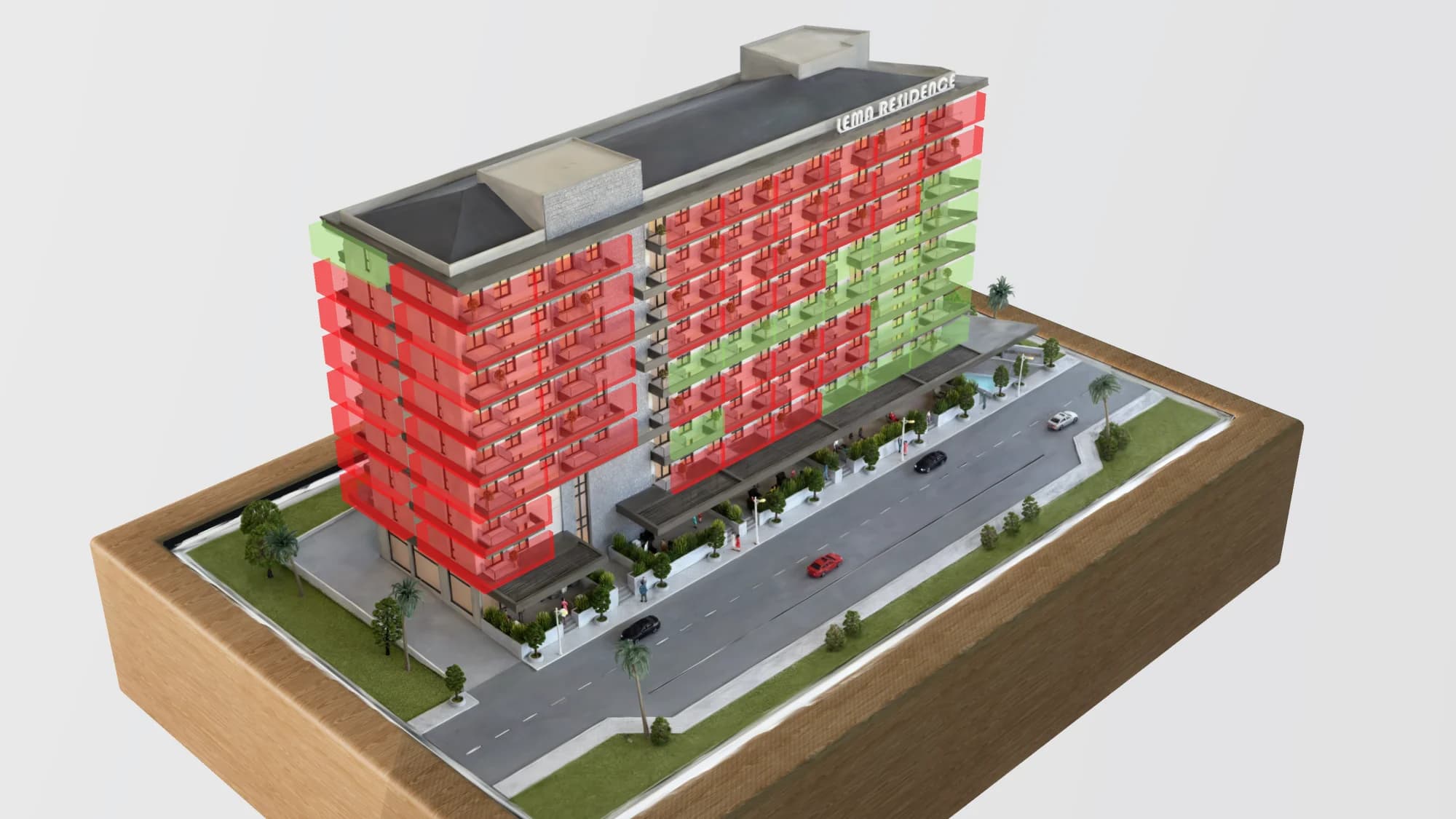
 Digital twin of the scale model
- Available
- Sold
Sales-office tablet
Walk buyers around the building, then open the home they like.
Your project website
The same 3D model, on the page buyers already visit.
Every buyer’s phone
Opens right in the browser, wherever they are.
Turn it, zoom in, pick a floor
Buyers turn the model with a finger, zoom into the facade, and filter by bedrooms or floor. Every apartment shows its status in color, so buyers see where their home sits and what is still available.
- Available
- Sold
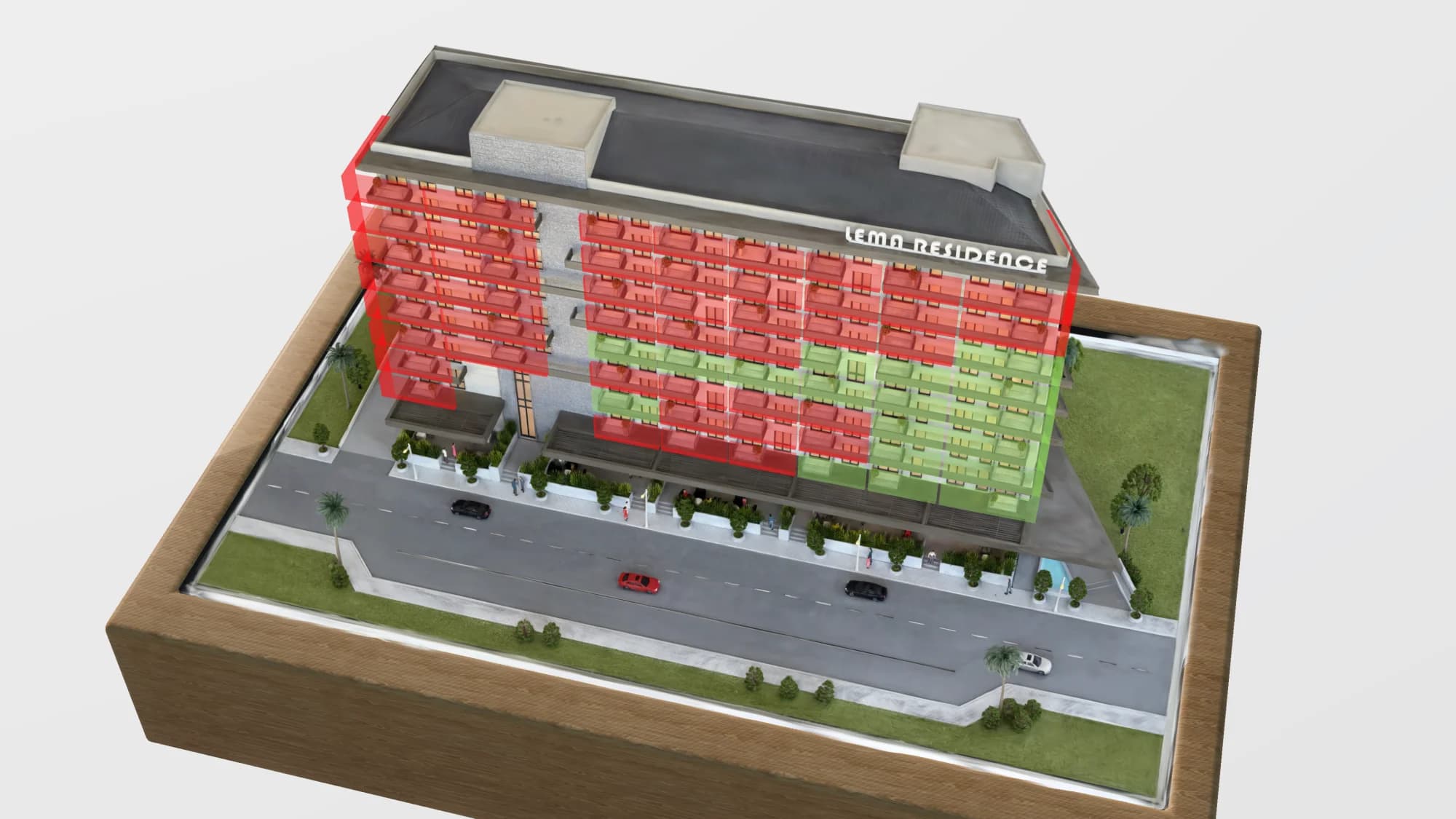
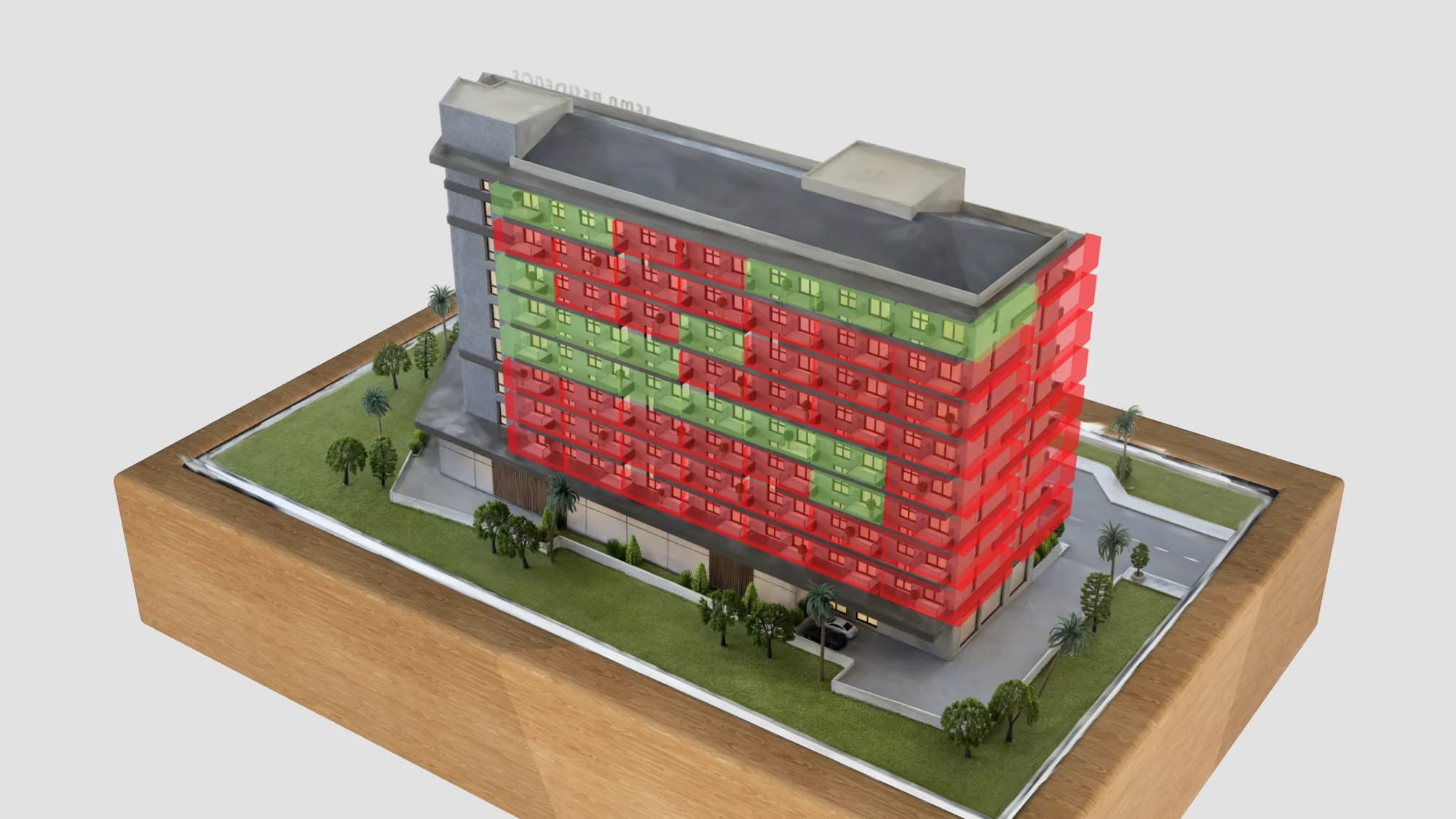
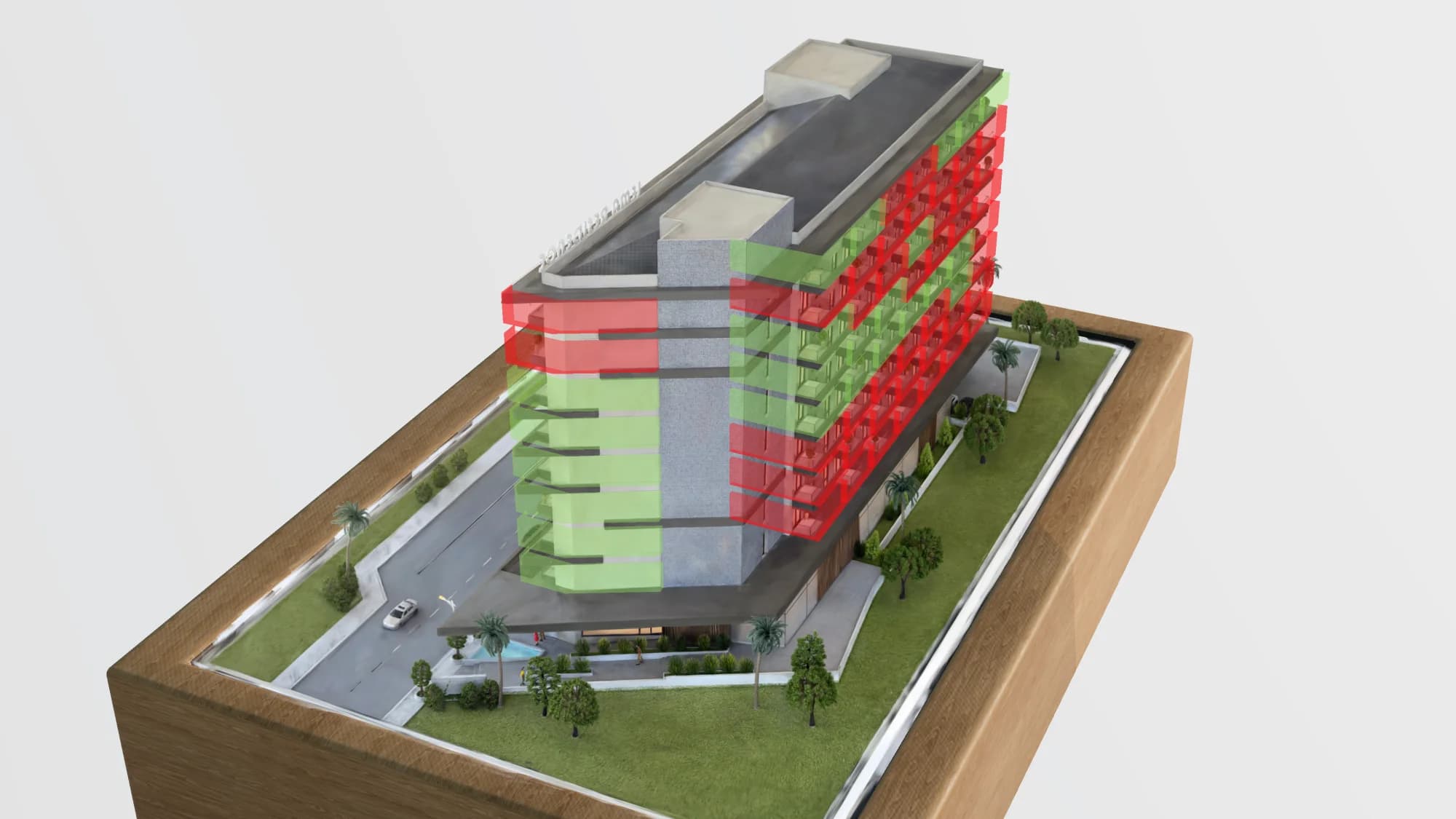
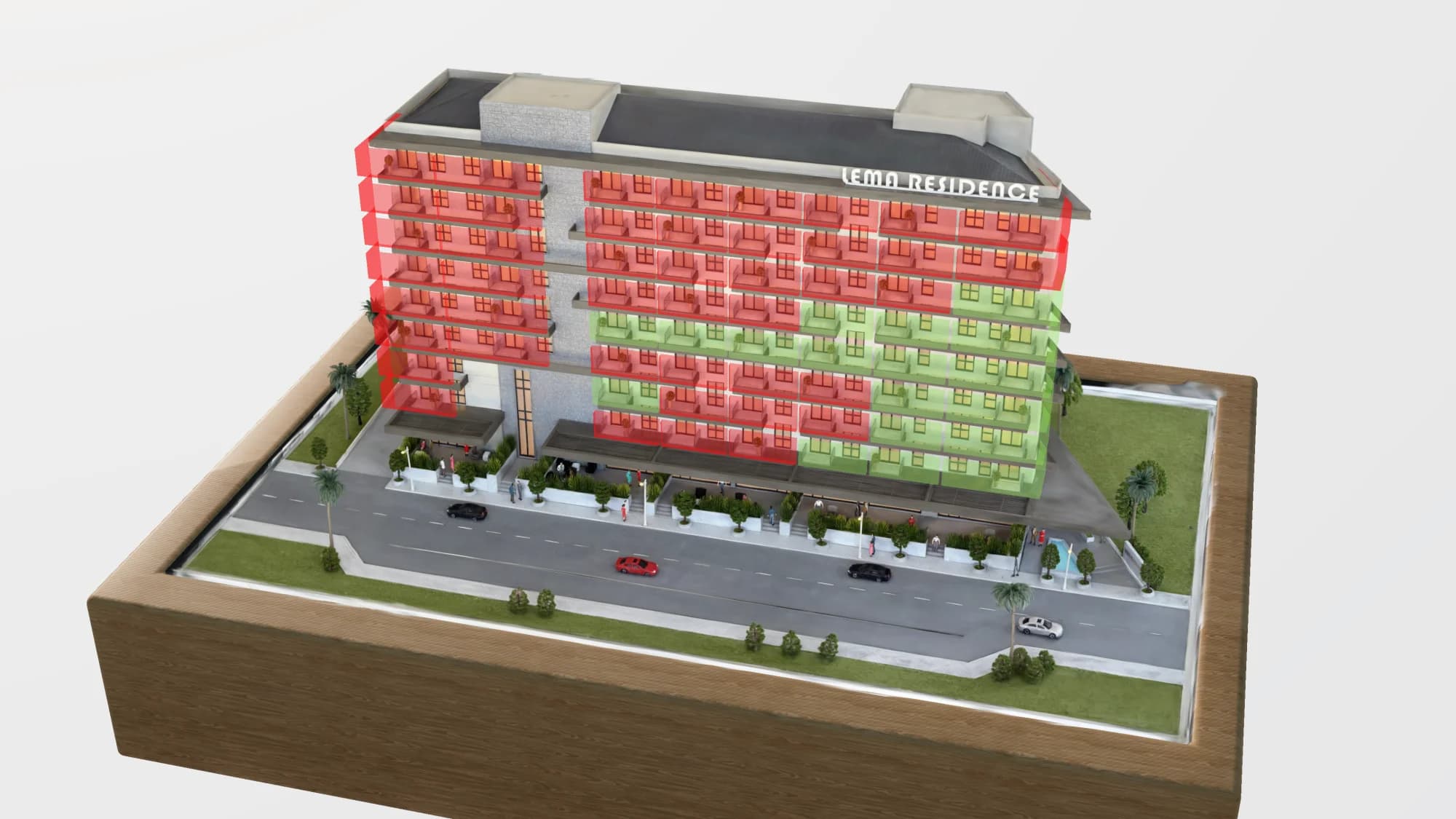
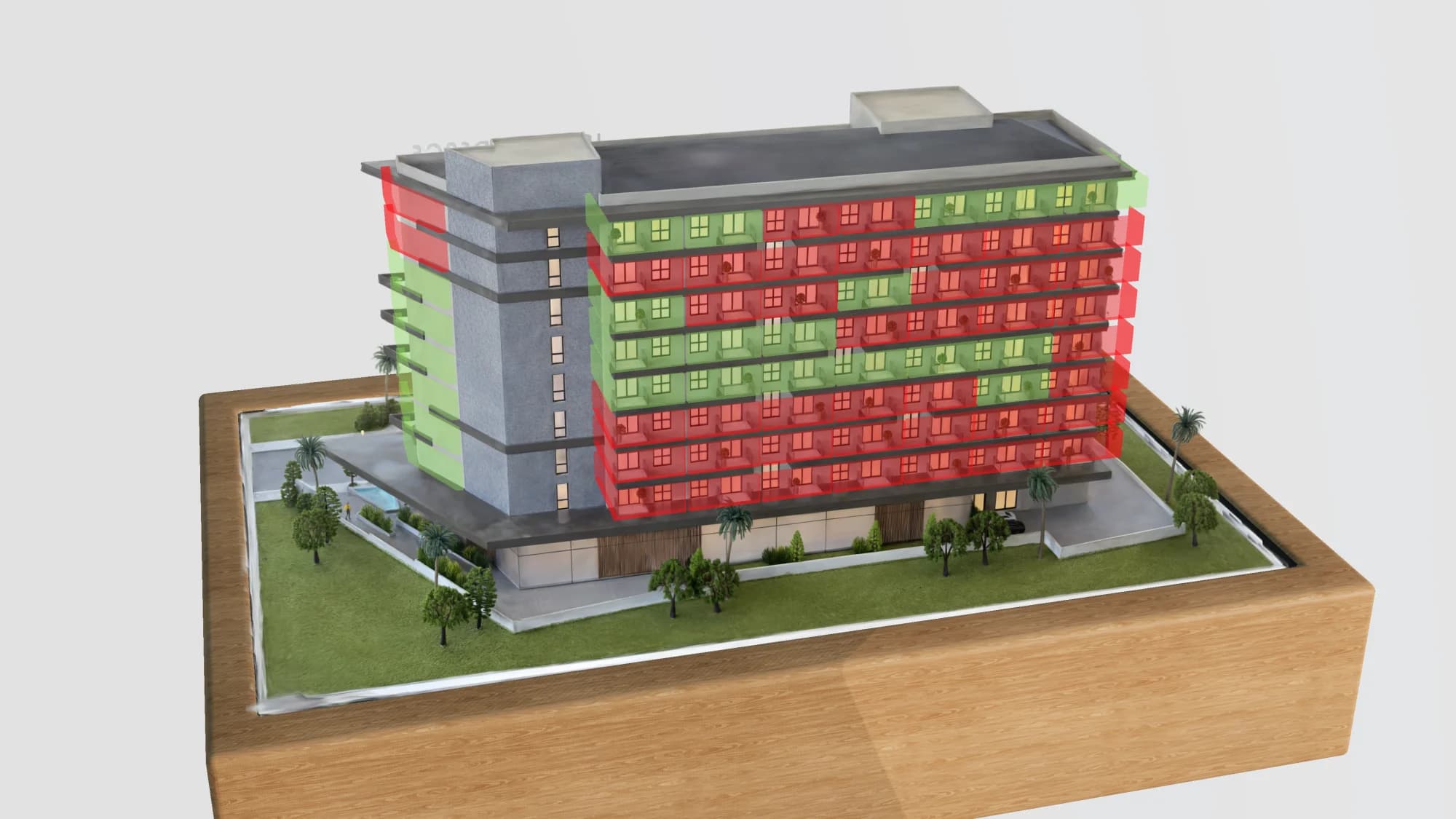
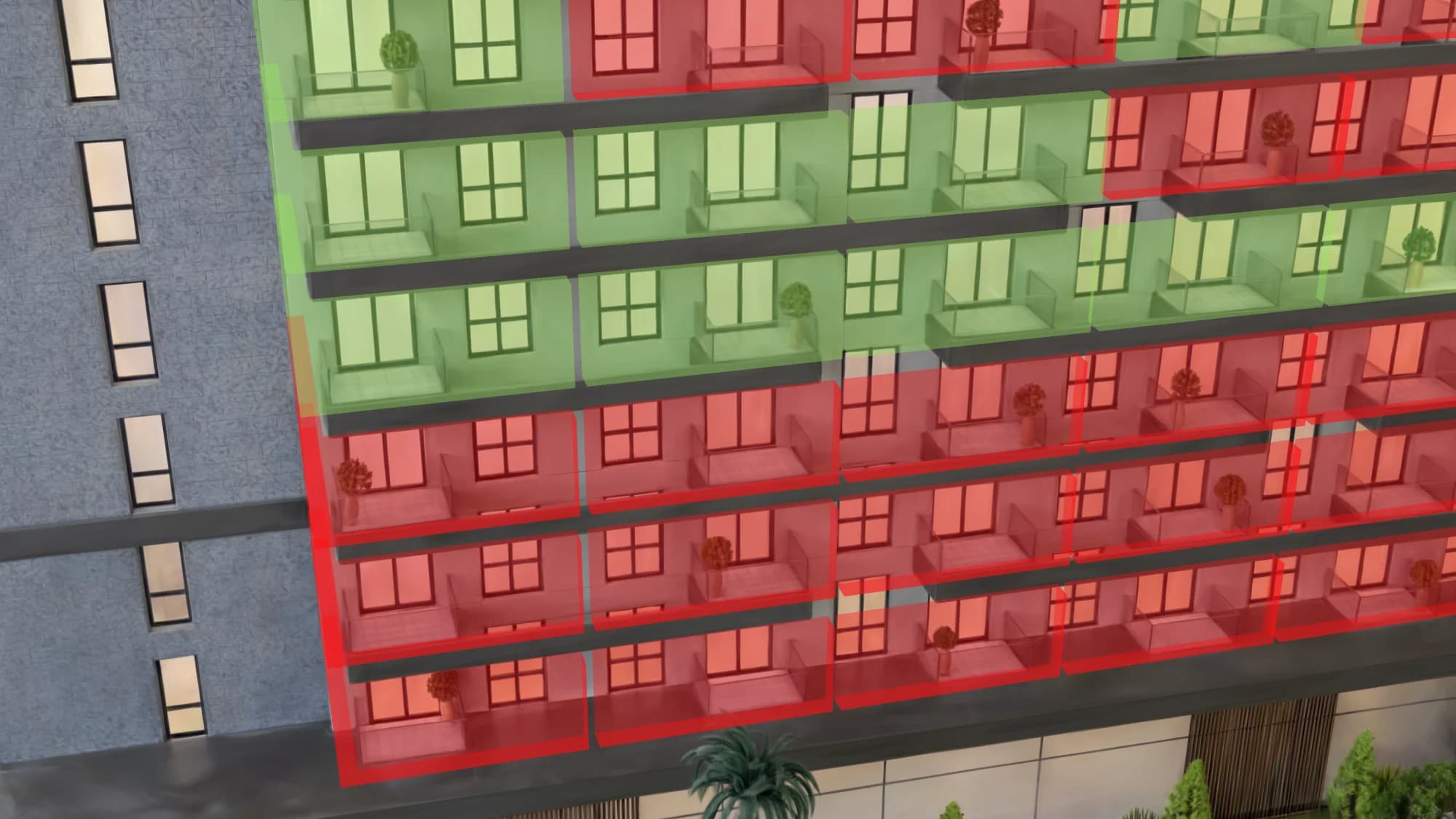
Every angle, one digital twin
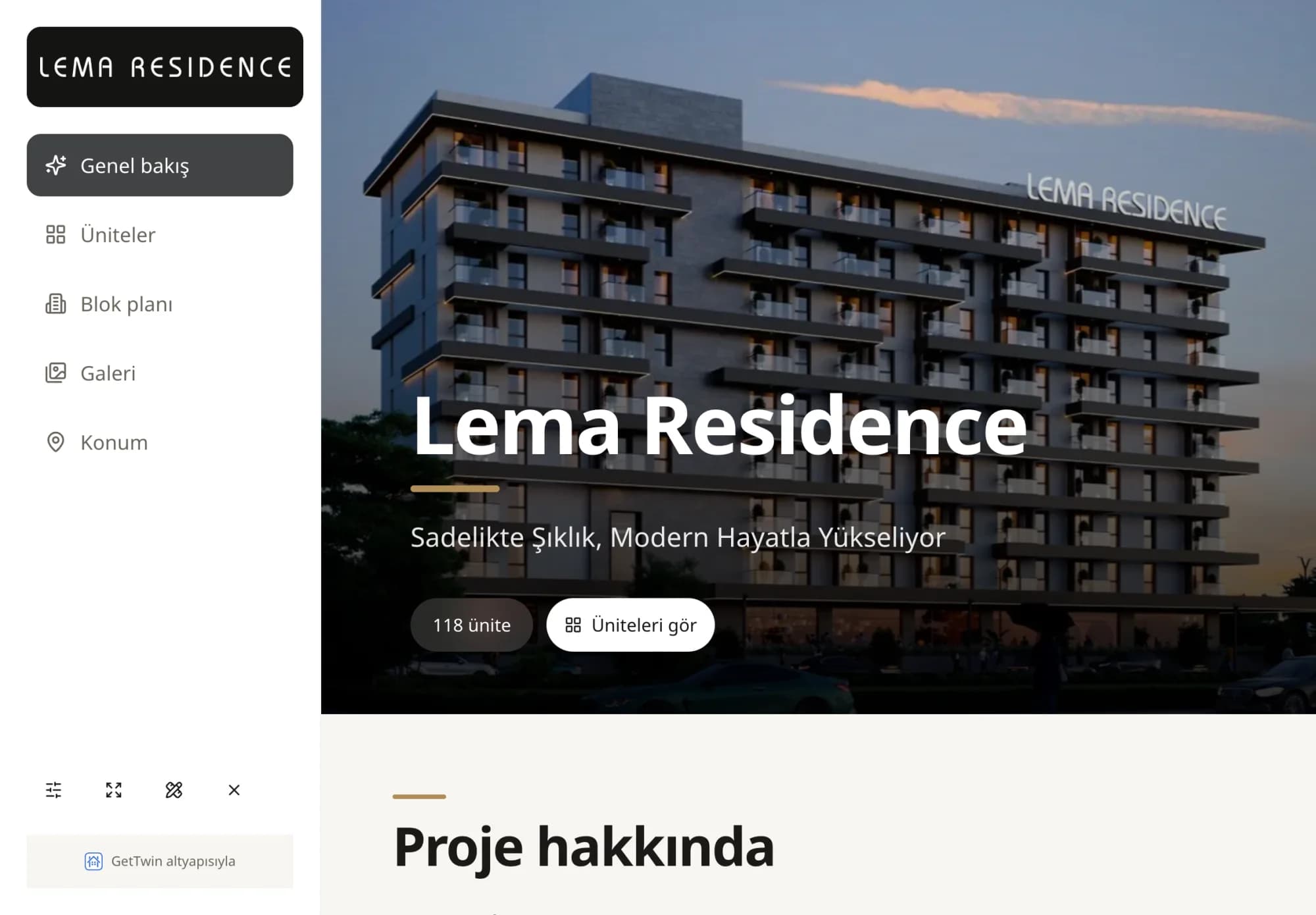
Every view on this page is the same 3D model of Lema Residence, built from its scale model.
From your scale model to a digital twin
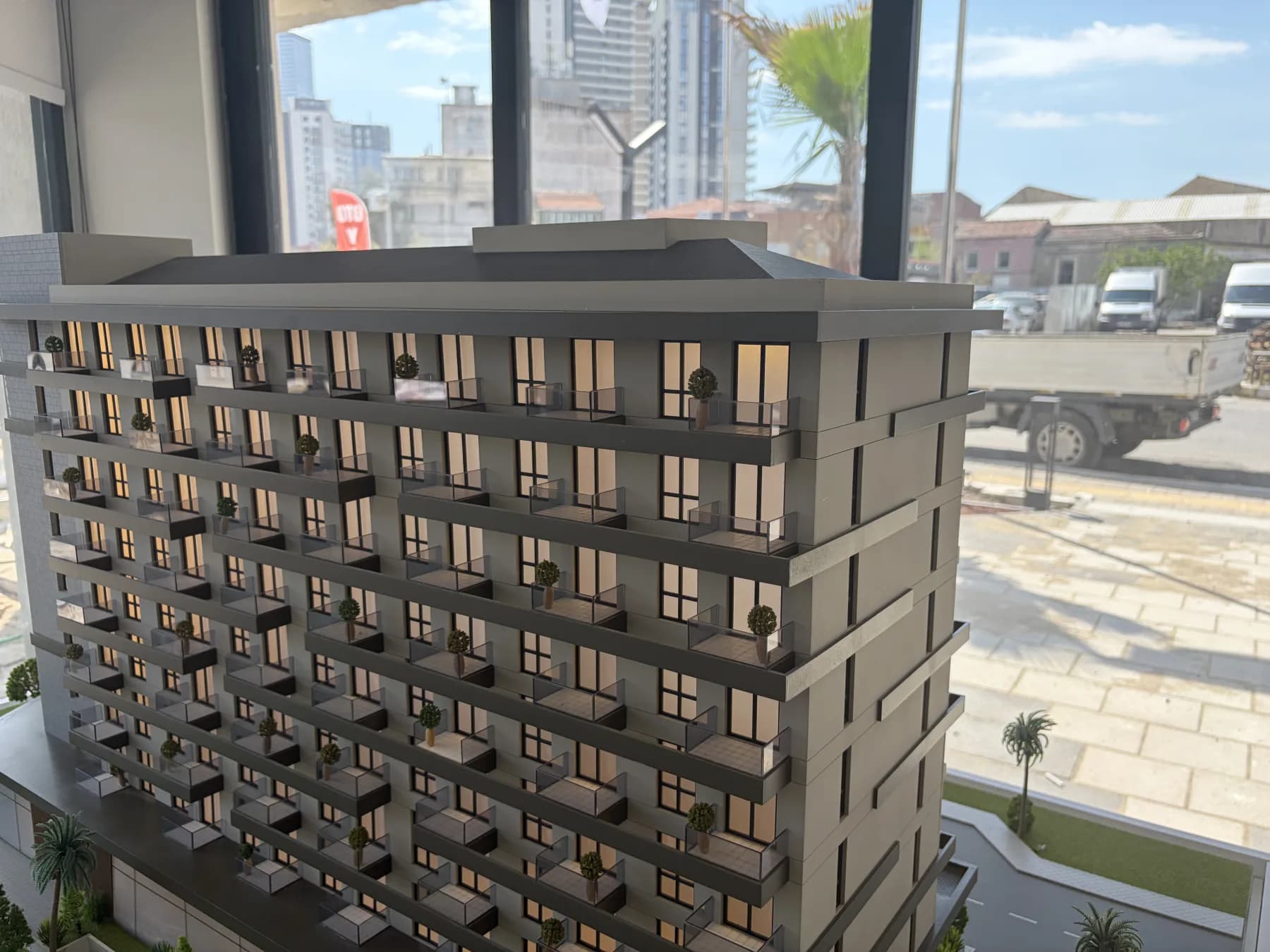
You don’t need anything new. GetTwin builds the 3D from your scale model or your model files, and sets it up with you.
Your scale model or model files
We capture the scale model in your sales office, or work from your architect’s 3D model files.
Every unit on the model
GetTwin builds the digital twin and marks every apartment on it, linked to your units in GetTwin.
Live wherever you sell
The model shows the latest availability: in the sales office, on your website, and on buyers’ phones.
- Available
- Sold
- Available
- Sold
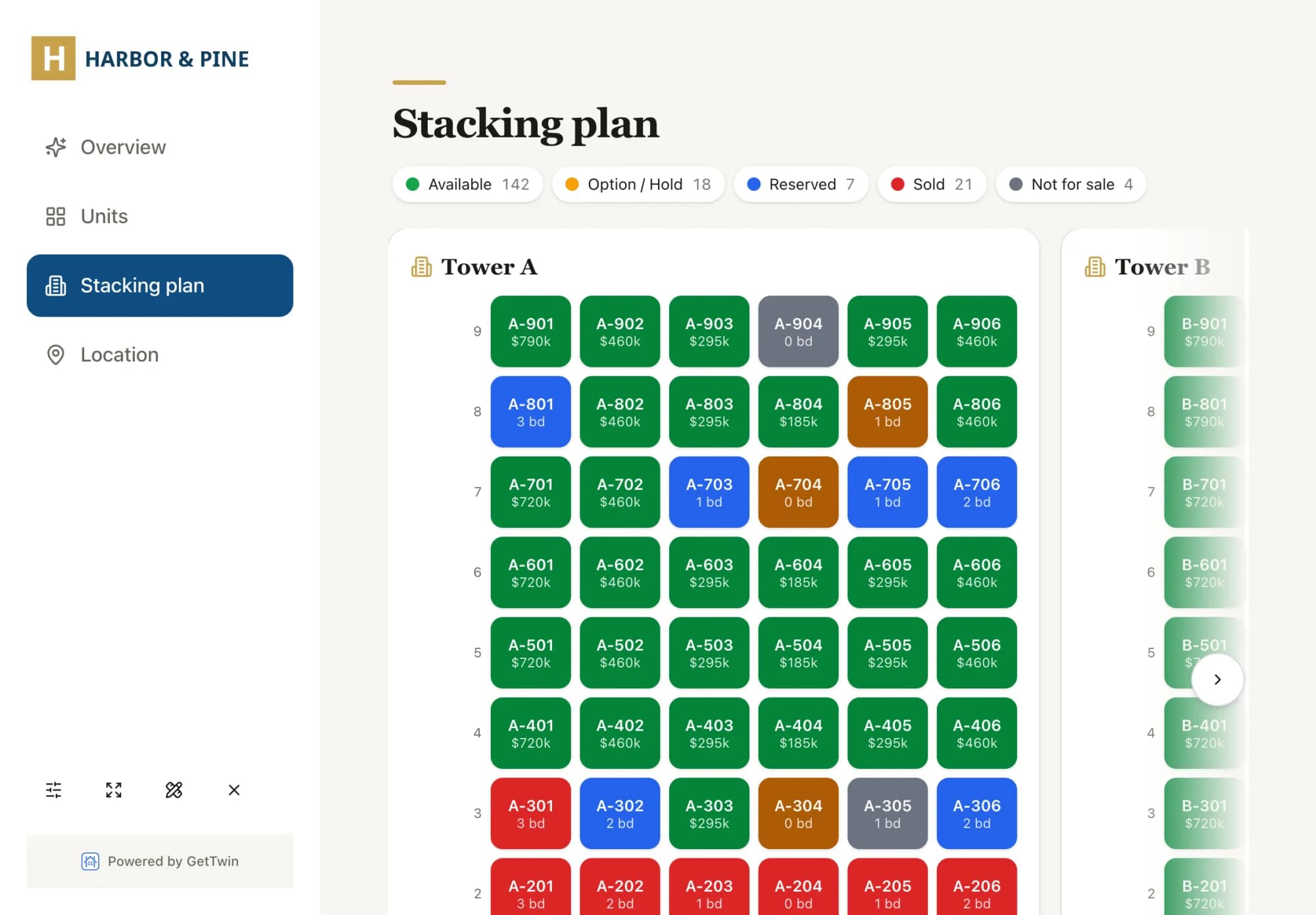
“Is it still available?” Already answered
Availability is live on the sales-office tablet, the 3D model, and your buyer pages. When a unit sells, the other open deals on it close automatically, so nothing is sold twice.
- Statuses update everywhere the moment a unit sells
- Show or hide prices and statuses with a tap
- Tap any unit to open its floor plan
Filters buyers understand
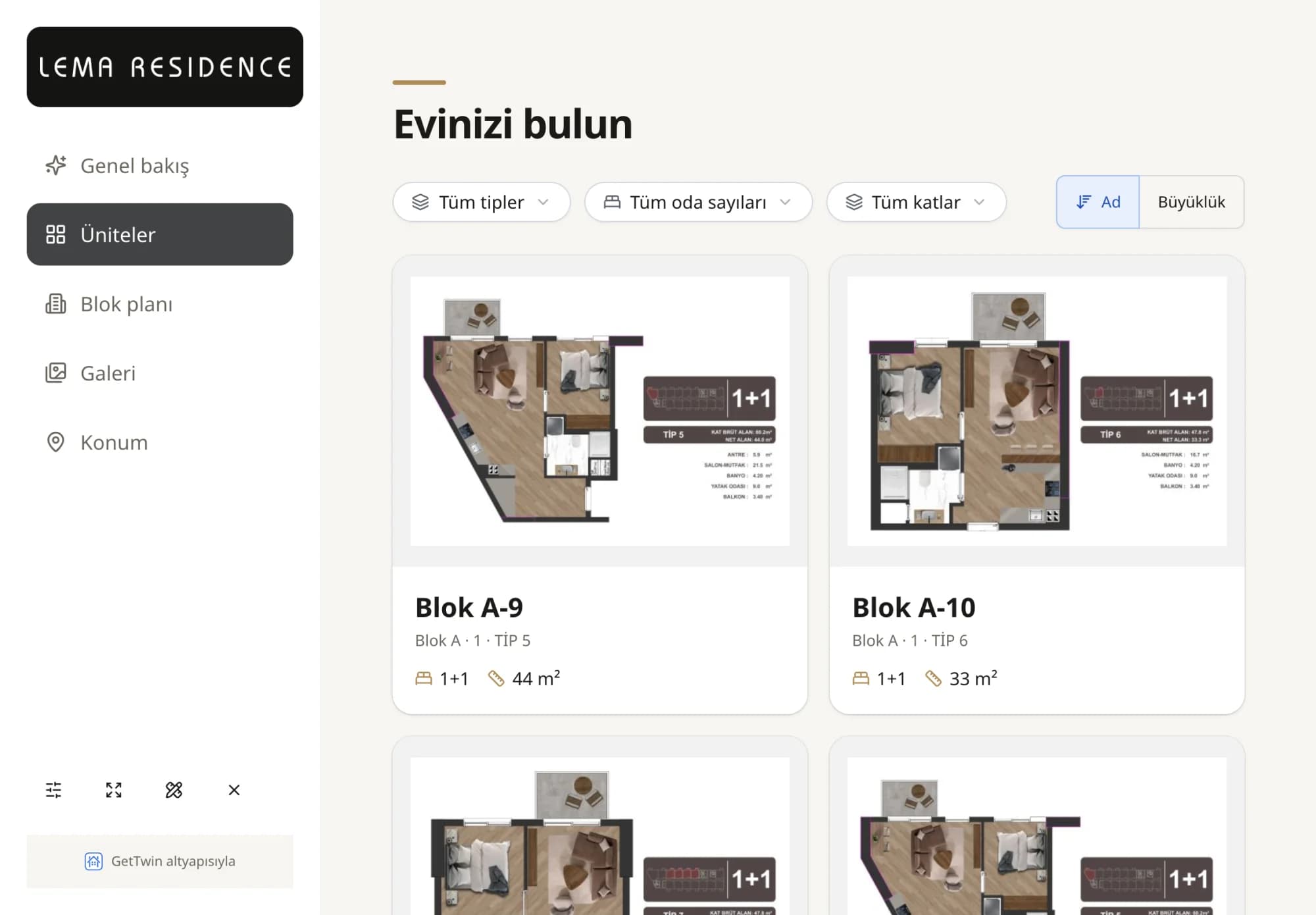
Building, type, rooms, and floor. Buyers narrow a whole project down to the few homes that fit them, then open the floor plan.
- Building A
- 1 bedroom
- 2 bedrooms
- Floors 3–6
- Available only
- Sort by size
Every card shows the floor plan, the rooms, and the size. One tap opens the unit with its areas and its plan.
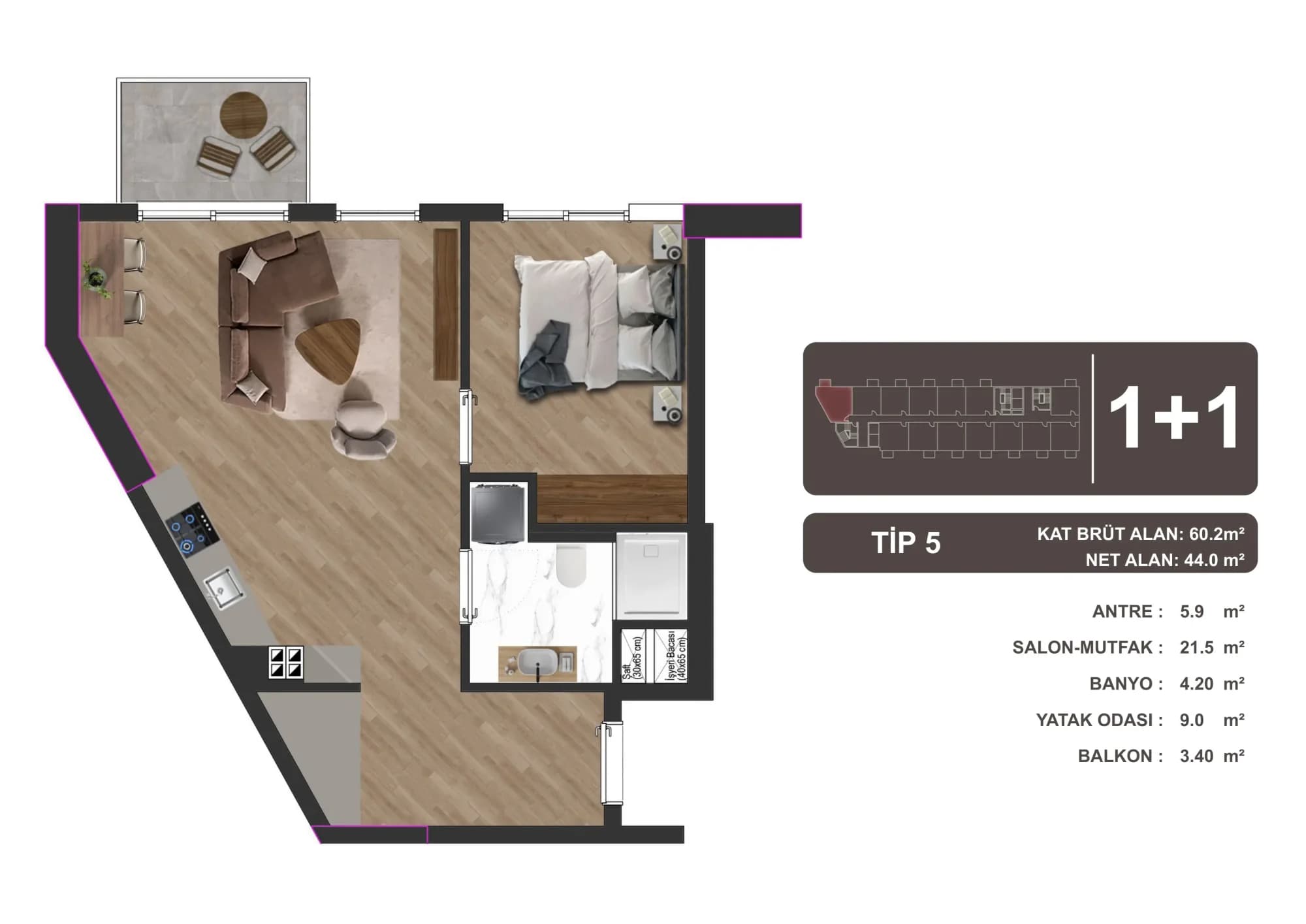
Floor plan with room areas
From the model to the offer, in two taps
The 3D model, the unit, and the offer live in one system. The buyer’s choice goes straight into an offer with its payment plan.
- Available
- Sold
01
See it
Buyers turn the real building, zoom into the facade, and find the floor they want.
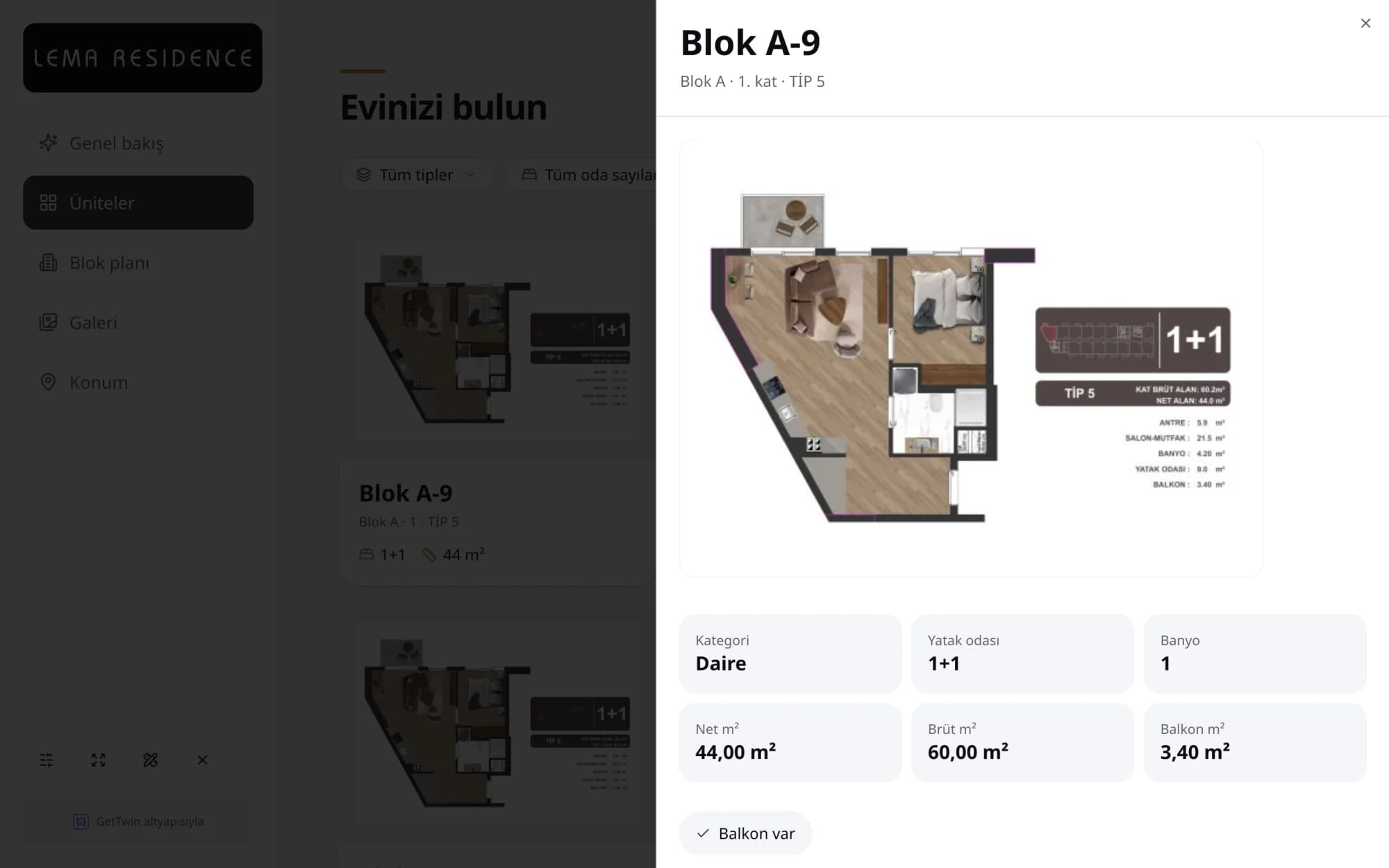
02
Choose it
Every unit opens with its floor plan, rooms, and net and gross areas.
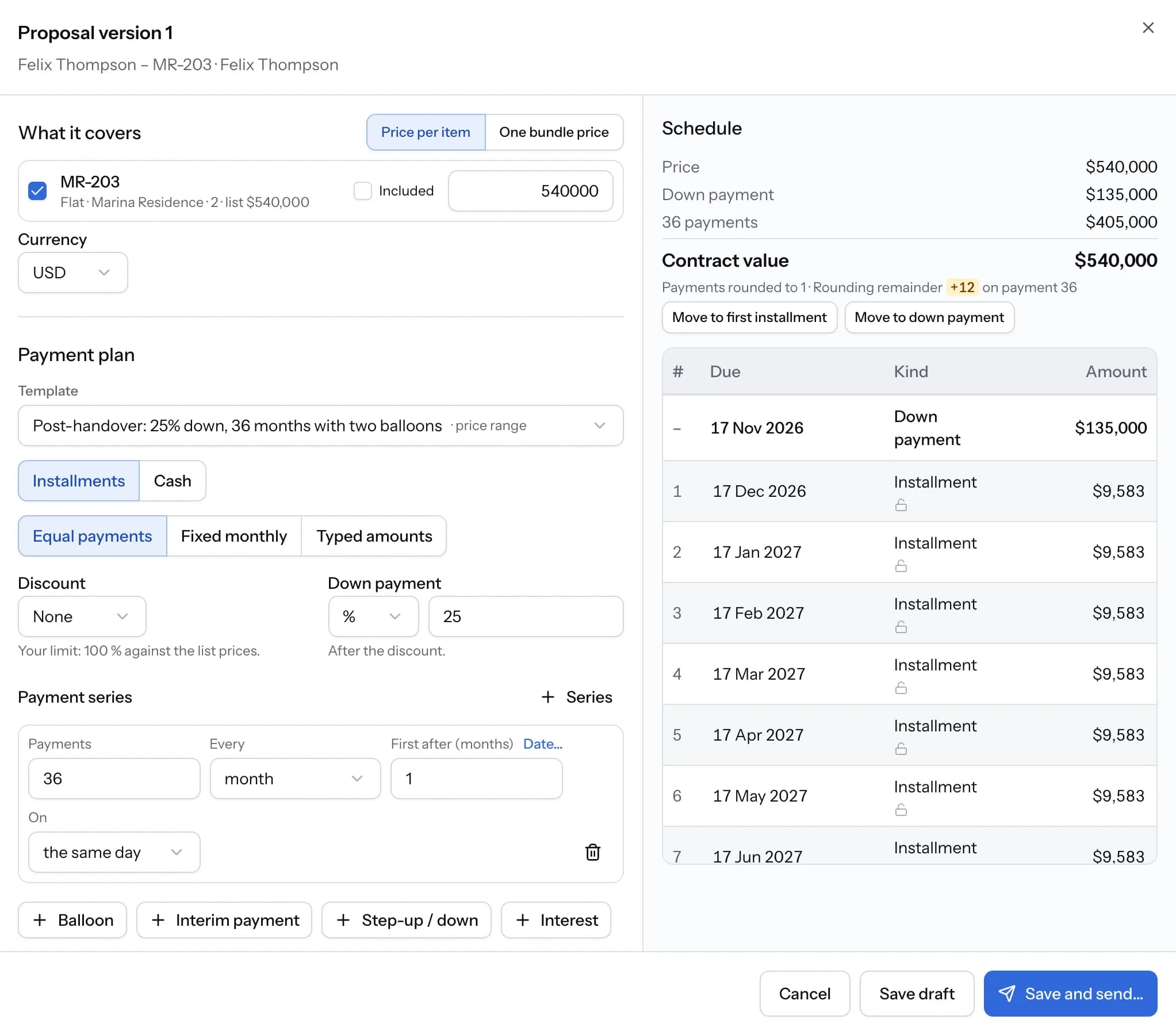
03
Offer it
Your team prepares an offer with its payment plan in minutes, approved within your limits.
Offer screen shown with demo data.
It looks like your project
The sales-office presentation, buyer pages, and offers carry your logo, colors, and fonts. GetTwin appears only as a small “Powered by GetTwin”, removable on Max or as an add-on.
- Your logo, colors, fonts, and cover image
- Buyer pages in the buyer’s language
- Opens in the browser on any phone, tablet, or computer
- Agencies show your project under your rules
Questions about the 3D stacking plan
What is a 3D stacking plan?
A 3D stacking plan shows every unit of a building on a 3D model, floor by floor, with its availability. Buyers see where a home sits in the building, and your team sees at a glance what is left to sell.
Do we need a physical scale model?
No. GetTwin builds the 3D from your scale model if you have one, or from your architect’s 3D model files if you don’t. We look at what you have and choose the best route with you.
Who sets up the 3D?
GetTwin does, with you. We build the digital twin, mark every unit on it, and connect it to your units in GetTwin, so the model always shows the latest availability.
Can agencies use it with their own buyers?
Yes. Agencies and brokers can show the 3D model and the presentation to their buyers. In GetTwin, each agency sees only the projects, buildings, and units you share with it, and only its own buyers.
Where do buyers open the 3D?
In the browser, on any phone, tablet, or computer: the 3D model, the presentation, and buyer pages. Your team works in GetTwin on the web or in the mobile app, with an instant alert when a buyer opens their page.
Is it only for off-plan projects?
No. The 3D works for every project: off-plan, under construction, or ready to move in. Buyers see the whole building and every unit before they visit.
Can we hide prices and statuses?
Yes. In the sales-office presentation, your team shows or hides prices and statuses with a tap, so each buyer sees only what you choose.
See your project in 3D
Book a demo and we’ll show you a live project like yours, from the 3D model to the offer.
- We build your 3D with you
- We bring your units and data over
- Your team just sells