
Every installment tracked, every report ready
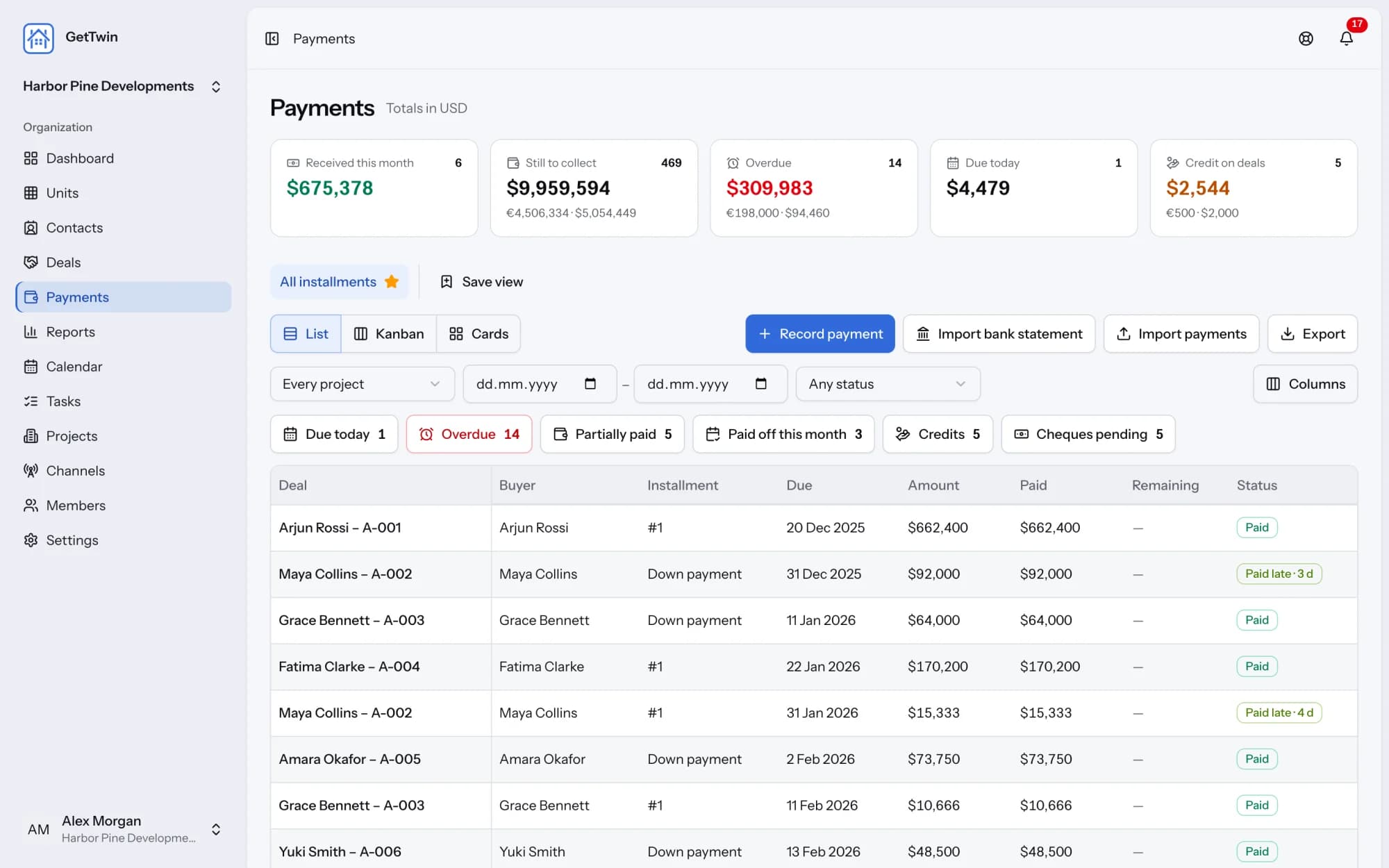
See who paid, who’s late, and what’s still to collect, with reminders sent for you and reports ready when you ask.
The problem
“Who hasn’t paid this month? Let me check”
Installments in a spreadsheet
Finance keeps one file, sales keeps another, and neither knows which buyer paid this morning.
Late payments noticed late
A missed installment turns up at month-end, weeks after the buyer should have had a call.
Reports that take days
Every management meeting starts with someone pulling numbers from three places by hand.
What GetTwin does
Who paid, who’s late, at a glance
Every payment plan becomes a schedule on the deal, and every payment is checked against it.
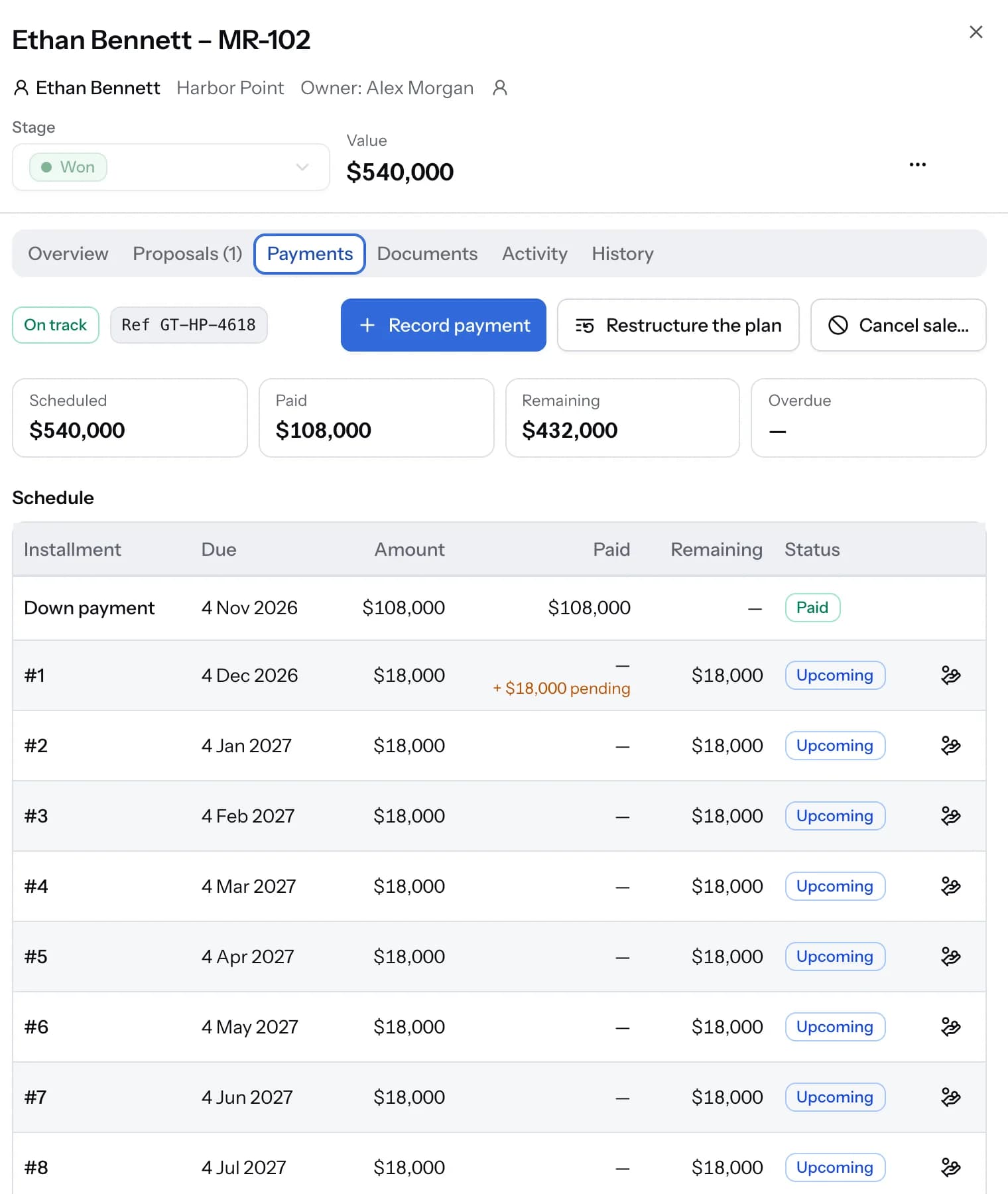
Every installment on the deal
When a sale is signed, its payment plan becomes the buyer’s schedule. See what’s scheduled, paid, remaining, and overdue, in the buyer’s currency.
Which installments are late this week?
 GetTwin
5 installments, $86,400 in total. Reminders went out this morning.
Late payments flagged and chased
GetTwin reminds buyers before an installment is due and again when it’s late, and tells your team who needs a call.
Bank statements matched for you
Import a bank statement and each payment is matched to the right buyer and installment. Partial payments and checks are tracked too.
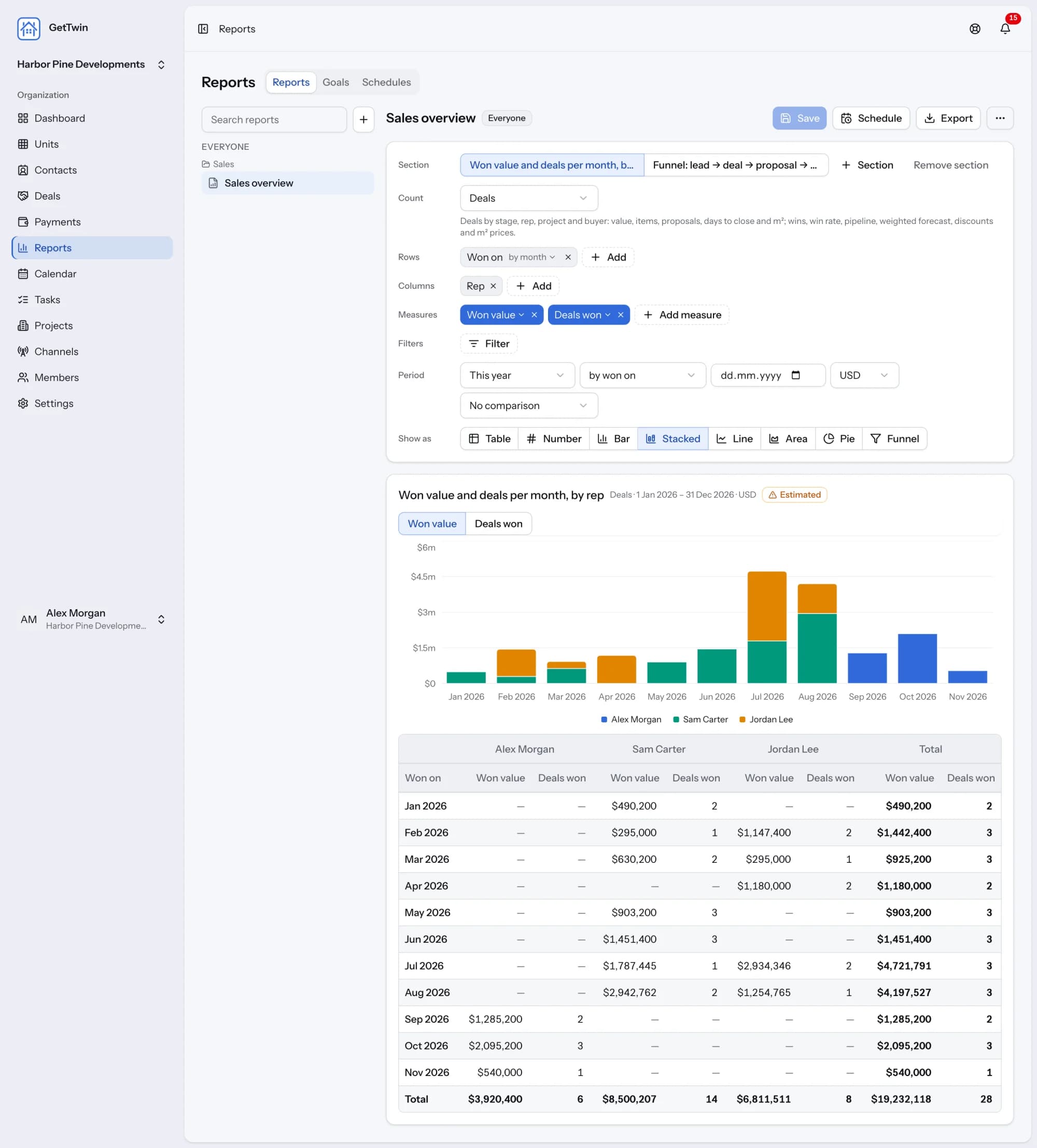
Sales reports, ready when you ask
Sales by month, salesperson, project, or source. Save a report, schedule it, and get an alert in the mobile app when it’s ready.
Collections and installment tracking are on Pro and Max. Reports are on every plan. See pricing
How it works
From the signed sale to the last installment
Sign the sale
The apartment shows as sold everywhere, and the payment plan from the offer becomes the buyer’s installment schedule.
GetTwin follows the dates
Buyers get a reminder before each due date. Late installments are flagged, and your team sees who to call.
Record and report
Record a payment or import the bank statement. Collections and sales reports update on their own.

- Available
- Sold
- Available
- Sold
Lema Residence, İzmir, in its 3D digital twin.
What changes for your team
One set of numbers for sales and finance
Late payments seen the day they’re late
Overdue installments show up on their due date, not in a month-end spreadsheet.
Calls only where they’re needed
Reminders go out on their own, so your team calls the few buyers who need a person.
Reports nobody has to build
Management sees sales and collections when they ask, not days later.
Works with
The rest of the sale, on the same deal
Offers and payment plans
AI lead pipeline
Ask GetTwin
Questions about collections
Does GetTwin remind buyers about their installments?
Yes. GetTwin reminds buyers before an installment is due and again when it’s late, and lists the buyers your team should call. Collections and installment tracking are on Pro and Max.
Can we import our bank statements?
Yes. Import a bank statement and GetTwin matches each payment to the right buyer and installment. You can also record payments by hand, including partial payments and checks.
What if a buyer needs a new payment plan?
You can restructure the plan on the deal. The new schedule replaces the old one, and the payments already made stay on the record.
Which reports are included?
Reports are on every plan: sales by month, salesperson, project, or source, which you can save, schedule, and export. You get an alert in the iOS and Android app when a report is ready.
See collections and reports on your project
Book a demo and we’ll show you installment tracking and sales reports on a project like yours.
- We set it up with you
- We bring your existing data over
- Your team just sells