
From the price list to the first leads
Follow one new project from its price list to the first buyers in your lead pipeline. GetTwin sets up the 3D, writes the pages, and follows up. Your team decides what goes live.
An example with demo data
An example launch
How a new project goes live
One project, eight steps, from the price list to the first follow-up. Names, units, and figures are demo data.
Step 1: Manager
The price list and floor plans go in once
The sales manager uploads the price list and the floor plans for Lakeside Residences. Every unit gets its building, floor, price, and plan, and the stacking plan fills in.
 Price list imported
Lakeside Residences
- Units
- 192
- Buildings
- Tower A, Tower B
- Floor plans
- 12 types
- Prices
- $185k–$790k
Every unit is on the stacking plan
Step 2:
GetTwinYour building in 3D, every home on it
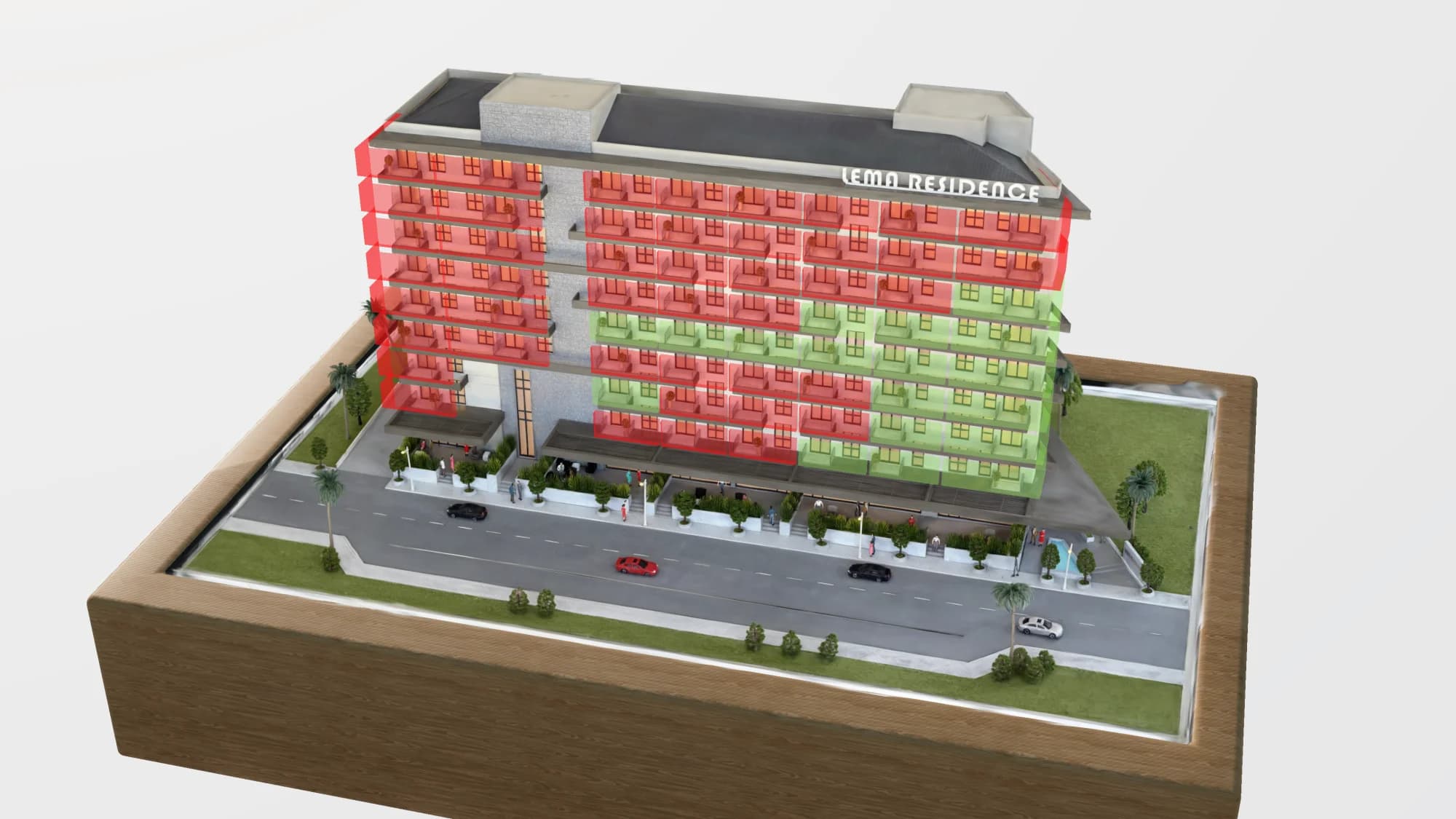
GetTwin builds the 3D from your scale model or your model files and connects it to your units. Available homes show in green, sold ones in red, and the colors follow every sale.
- Available
- Sold
- Available
- Sold
Shown with Lema Residence, İzmir, a real project in 3D with live availability Step 3: Marketing
A buyer walks in. The tablet shows your project
Marketing sets up the sales-office presentation in your logo, colors, and fonts. Buyers browse the unit finder and floor plans, and your team can show only what’s available.
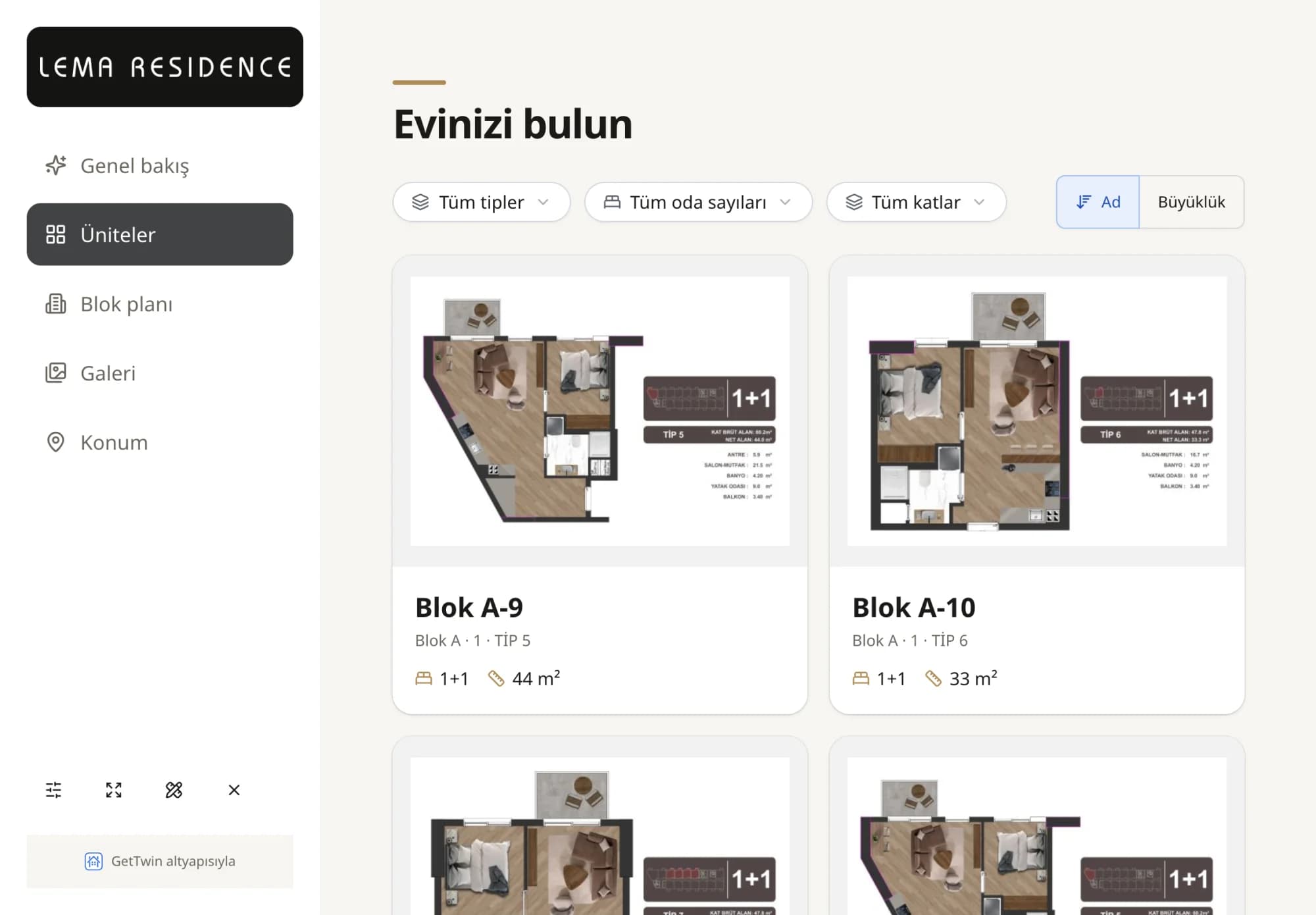
Shown with Lema Residence, İzmir, in its sales-office presentation (in Turkish) Step 4:
GetTwinA launch page in every buyer’s language
GetTwin writes a campaign page for the launch, with live availability and the payment plan. Marketing checks it, then shares it with buyers in English, German, or Turkish.
LLAKESIDE RESIDENCESEN · DE · TRNow selling
Tower A
1 to 3 bedrooms · 62 to 142 m²
- Homes from
- $185,000
- Available now
- 142 homes
- Down payment
- 25%
Book a visitSee the homes in 3DPowered by GetTwin
Step 5: Marketing
Lead ads and website forms, one lead pipeline
Marketing connects the Meta lead ad for the launch and puts the form on the project website. Every lead arrives with its source and campaign, so you see which channel brings buyers.
Launch ChannelsLakeside Residences
- Meta lead ad
- Connected
- Website form
- Live
- Launch page
- Live
- Leads go to
- Lead pipeline
Each lead keeps its source and campaign
Step 6: Manager
Agencies join, and see only what you share
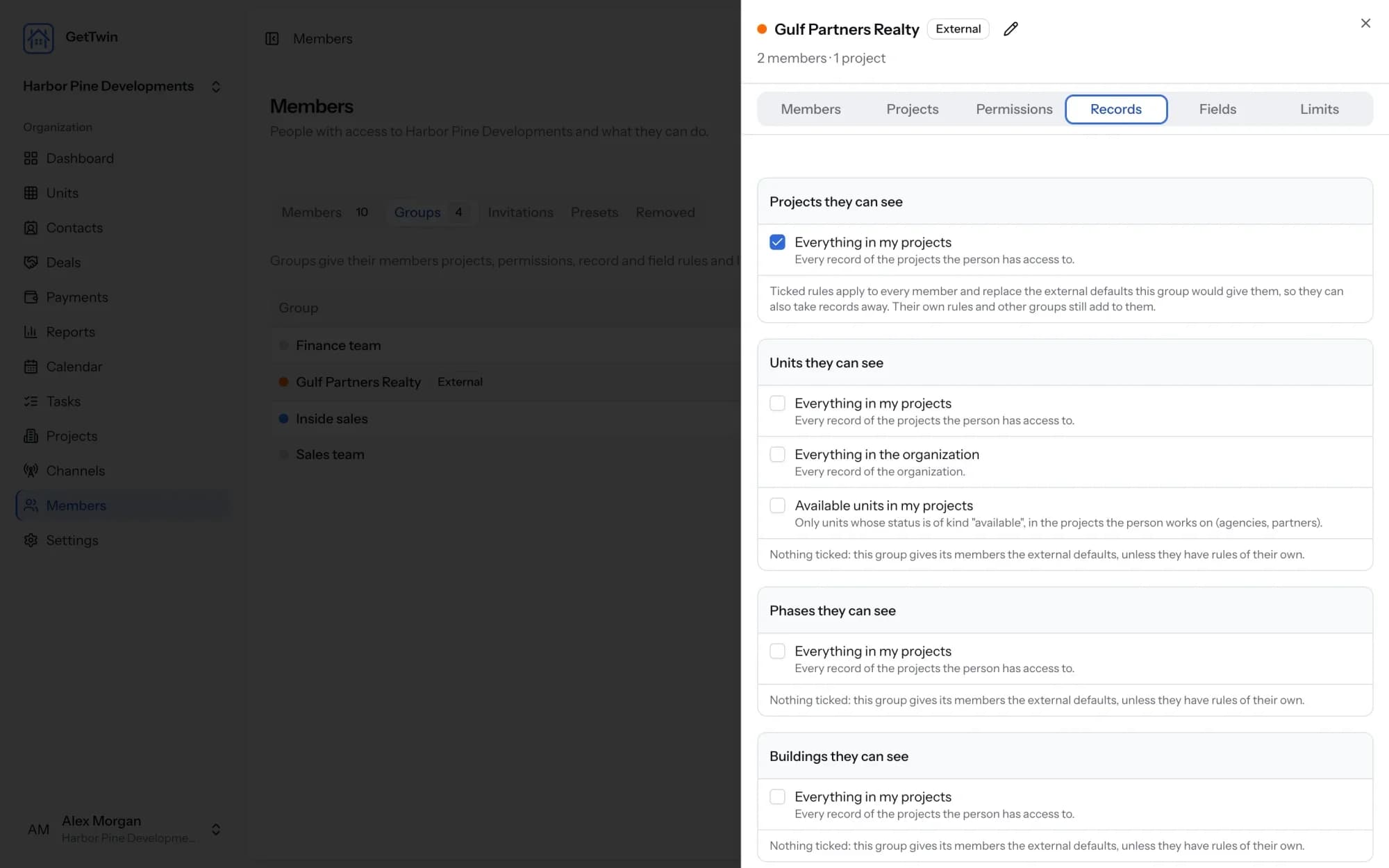
The manager invites the agencies selling the launch. Each one sees the available units and only its own buyers, and every deal it brings is credited to it.
Uses
Step 7: Salesperson
“I’d like to visit.” The first leads are in
Clara fills out the lead ad, and an agency adds its first buyer. Both land in the lead pipeline, and Alex gets an alert in the GetTwin app for each one.
Uses
- AI lead pipeline
- Forms and lead ads
- Mobile app for iOS and Android
Monday, November 16
10:15
GetTwinnow
New lead: Clara O.
Meta lead ad · Lakeside launch. Asks about 2 bedrooms.
GetTwinearlier
New lead from Gulf Partners Realty
Daniel R. · 3 bedrooms in Tower A. Wants to visit.
Step 8:
GetTwinGetTwin follows up. Alex books the visit
GetTwin answers Clara, shows her what’s still available, and asks when she’d like to visit. Her answers go onto her card, and Alex confirms the visit.
Uses
- GetTwin
Hi Clara, thanks for your interest in Lakeside Residences. 2-bedroom homes are still available in Tower A. Would you like to visit the sales office?
Clara O.
Yes, Saturday morning works for me.
Saved to Clara’s card
- 2 bedrooms
- Visit on Saturday
- Owner: Alex Morgan
What it takes
Seven parts of GetTwin, one launch
This flow uses seven parts of GetTwin. They share the same units, prices, and leads, so a sale shows up everywhere and nobody types anything twice.
Stacking plan and live stock
Every unit by building and floor, with its price, floor plan, and live availability.
See the stacking plan3D digital twin
Your building in 3D with every unit on it, built from your scale model or model files.
See the 3D digital twinPresentation and buyer pages
Your project, the unit finder, and floor plans on the sales-office tablet, in your brand.
See presentation and buyer pagesBuyer and campaign pages
Pages for a launch or a single buyer, with live availability, in the buyer’s language.
See buyer and campaign pagesForms and lead ads
Website forms and lead ads bring every lead in with its source and campaign.
See forms and lead adsAI lead pipeline
Every lead and deal in one place. GetTwin replies, asks the right questions, and follows up.
See the AI lead pipelineAgency portal
Agencies add their buyers and see only their own deals, under your rules.
See the agency portalMobile app
Instant alerts for a new lead, a sale, an approval, or a report that’s ready. On every plan, for iOS and Android.
Agencies, AI lead follow-up, and the pages GetTwin writes are on Pro and Max. The 3D digital twin is included on Max and an add-on on Plus and Pro. Compare plans
Questions about this flow
Do we need a 3D model for this?
No. The stacking plan, the sales-office presentation, and buyer pages work from your price list and floor plans. The 3D digital twin is included on Max and an add-on on Plus and Pro. See 3D sales
Where do leads from our website and ads go?
Into one lead pipeline. Website forms, lead ads, and the leads your team and agencies add arrive in the same place, each with its source, so you can see which channel brings buyers.
Does GetTwin publish pages or ads on its own?
GetTwin acts, your team decides. It writes the campaign page and a person checks it before it goes live. Your team runs the ads as before, and GetTwin brings their leads into the lead pipeline.
Can agencies sell from launch day?
Yes. Invite them when the project goes live. Each agency sees only the units you share and its own buyers, and every deal it brings is credited to it. Agencies are on Pro and Max. See the agency portal
See this flow on your launch
We walk through it with your own price list and floor plans, from the setup to the first leads.
- We set it up with you
- We bring your existing data over
- Your team just sells