
A stacking plan that’s never out of date
Your whole inventory, every unit of every building, floor by floor, in 2D and 3D. Its status changes the moment it’s held, reserved, or sold.
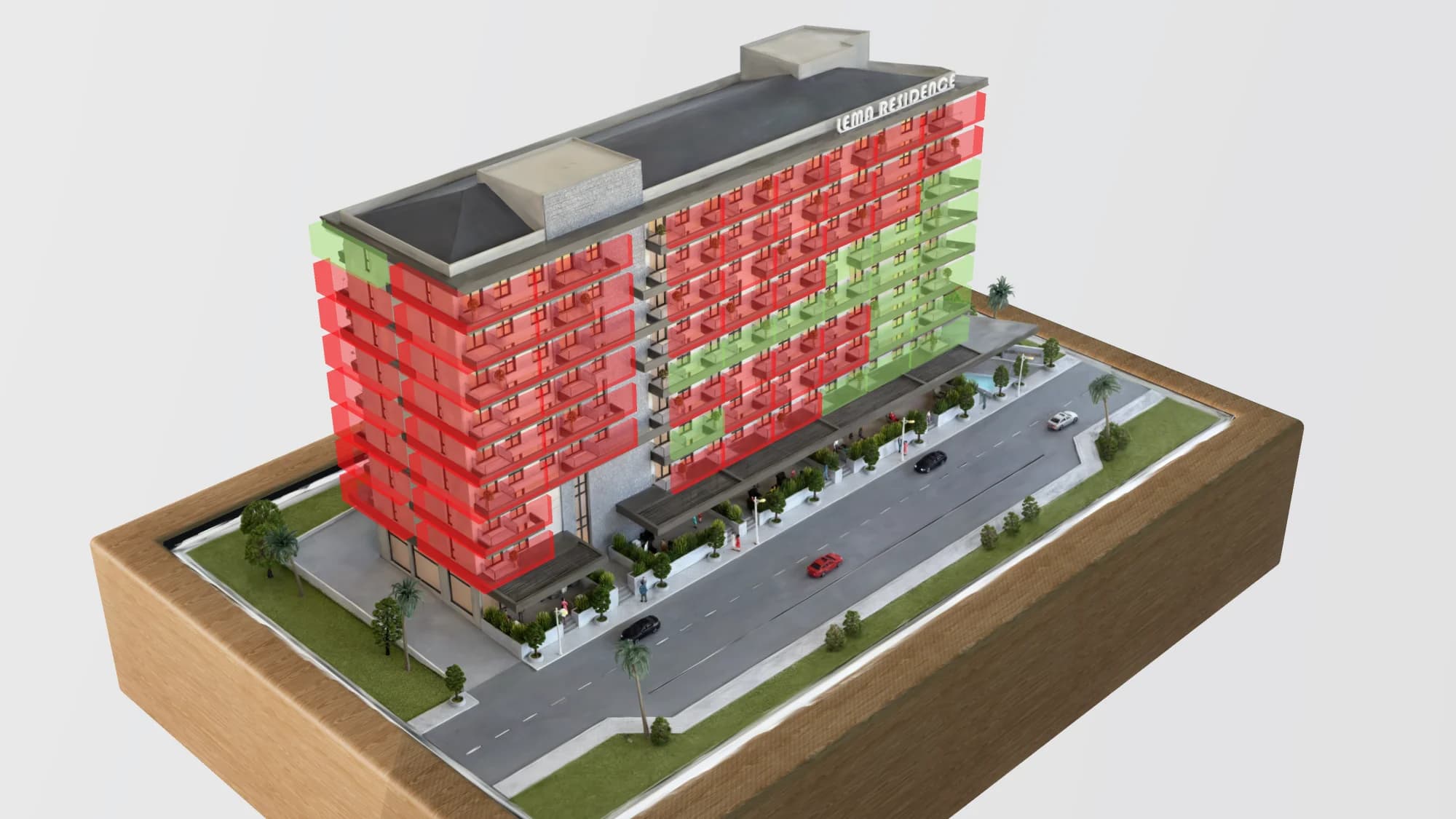
- Available
- Sold
- Available
- Sold
The problem
“Sorry, that apartment was sold yesterday”
A list that’s already old
Availability lives in a spreadsheet that someone updates on Fridays. By Monday, it’s wrong again.
One unit, two buyers
Two salespeople promise the same apartment. One buyer gets a phone call nobody wants to make.
Buyers can’t see the building
A list of unit numbers says nothing about the floor, the corner, or the view. Buyers want to see where their home sits.
What GetTwin does
Every unit, one true status
Each hold, reservation, and sale updates the stacking plan as it happens, on every screen your team and your buyers use.
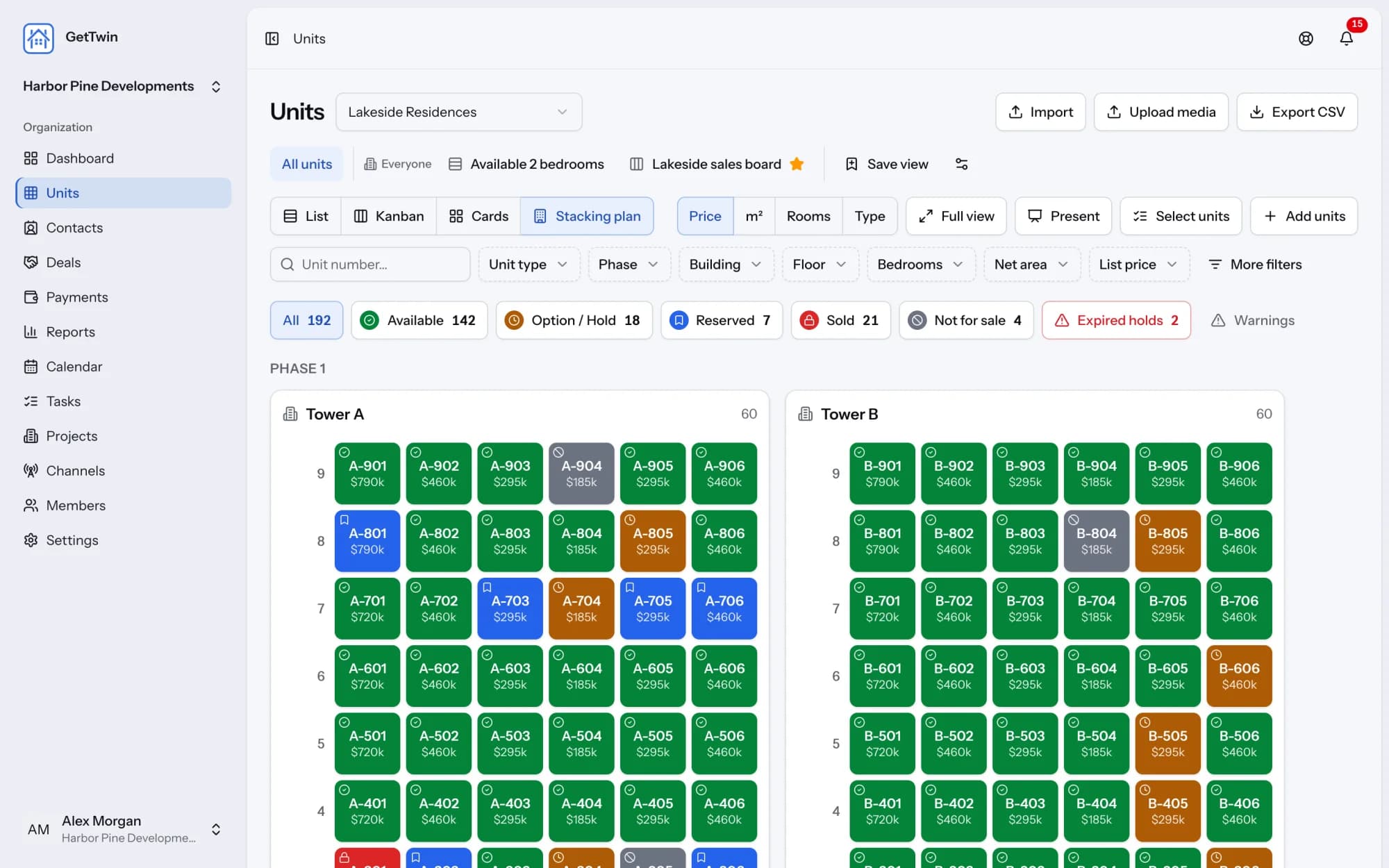
A stacking plan for every building
Every tower, floor, and unit on one plan, colored by status, with the price, size, or type on each unit. Filter it and save the view for your team.
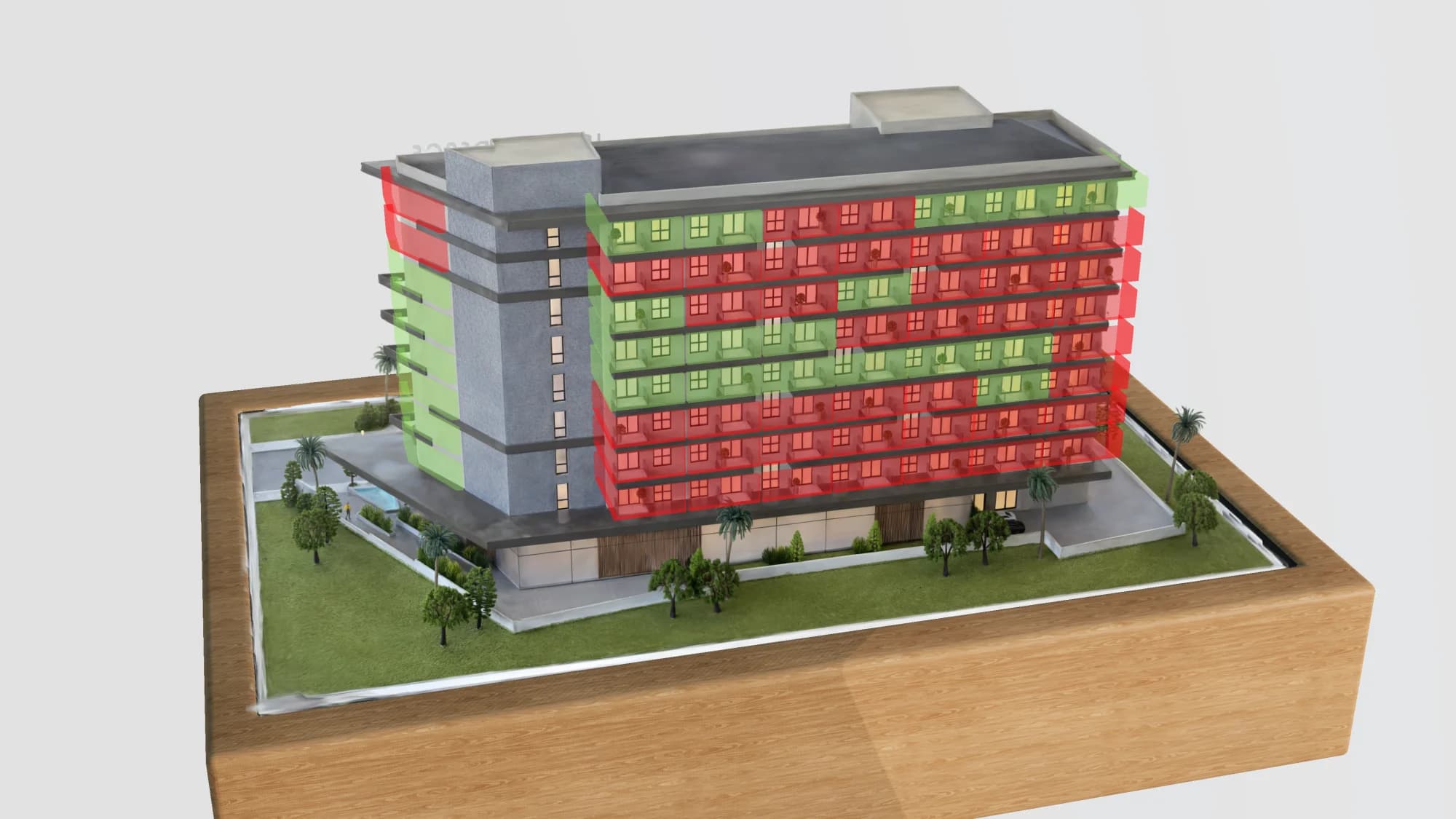
- Available
- Sold
- Available
- Sold
Your project in 3D, colored by stock
The same status on a 3D digital twin of your project. Buyers see where each home sits, and your team sees what is left to sell.
A-805 · Tower A · on hold
- Held for
- Clara O.
- Held by
- Oliver D.
- Hold ends
- Nov 21, 2026
- If it sells first
- Other offers close
Holds with an end date
Hold a unit for a buyer until a set day. It’s flagged when the hold runs out, and when a unit sells, competing offers on it close.
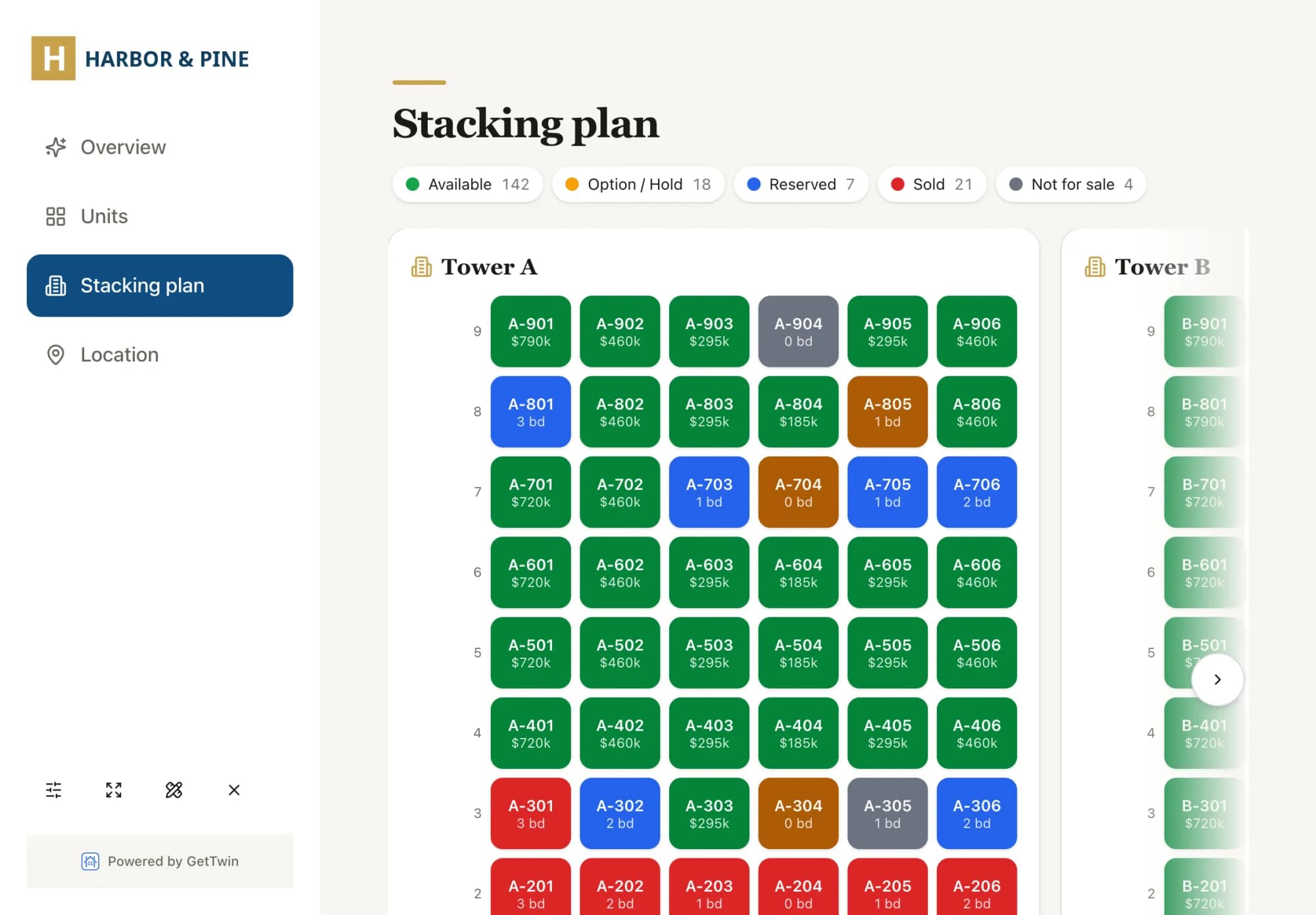
The same stock on every screen
The sales-office tablet, buyer pages, the mobile app, and your agencies’ view all show the same status, so nobody promises a unit that’s gone.
The 2D stacking plan is on every plan. The 3D digital twin is included on Max and an add-on on Plus and Pro. See pricing
How it works
From your price list to a live plan, in three steps
Bring your units in
Import your units and price list from a spreadsheet, or we bring them over with you during setup.
Sell from the plan
Your team holds, reserves, and sells units from the deal. Each change shows on the plan at once.
Show buyers what’s left
In the sales office, on buyer pages, or in 3D, buyers choose from the homes that are really available.
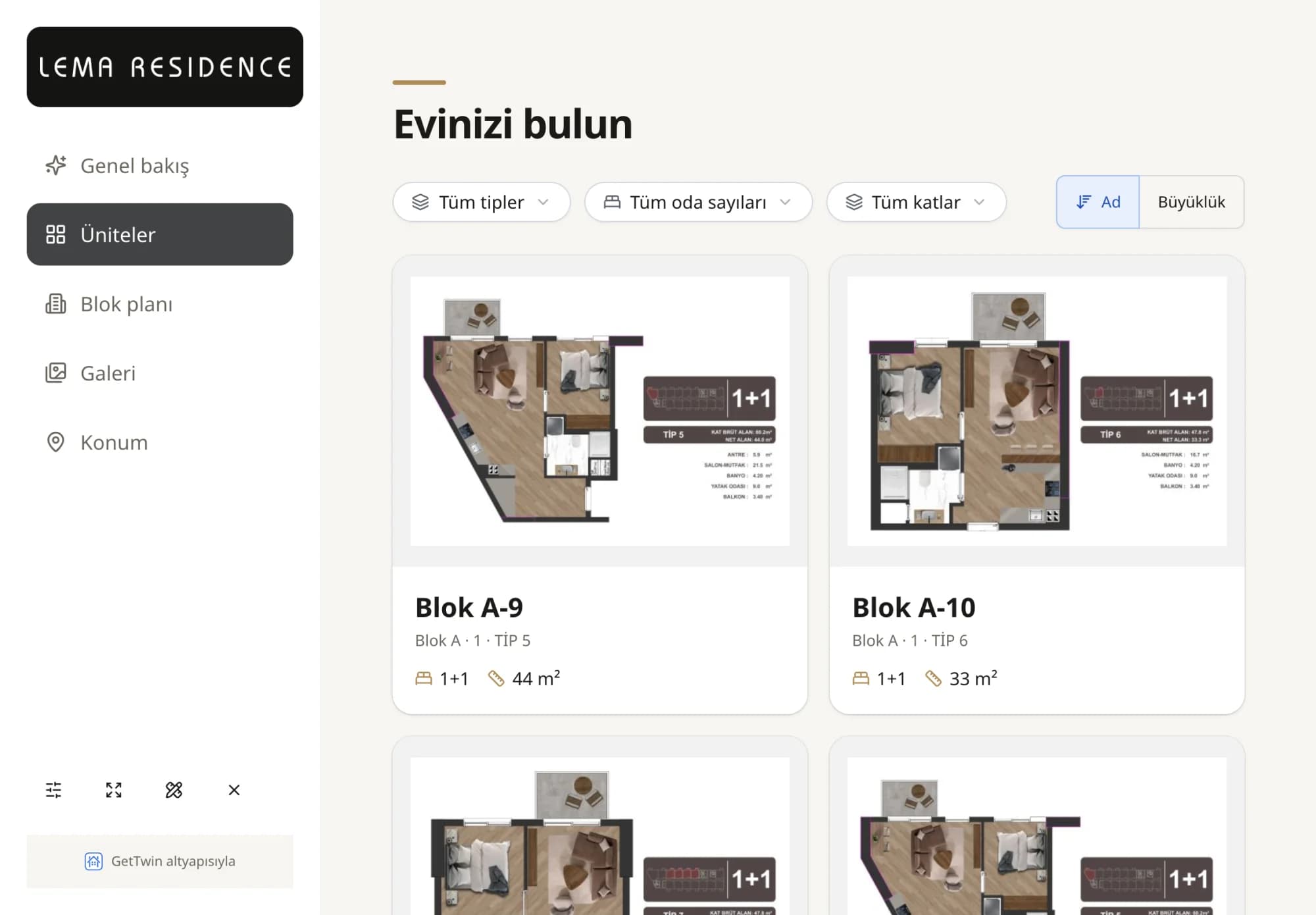
Lema Residence, İzmir: the unit finder in its sales-office presentation (in Turkish).
What changes for your team
Sell what’s really available
No unit sold twice
A unit on hold or reserved can’t be promised again, and every salesperson sees it the same way.
Buyers see the building
Buyers see where each home sits, floor by floor, and choose from what’s really left.
What’s left, at a glance
Management sees what’s sold, held, and available in every building, without asking for the list.
Works with
From an available unit to the offer
Offers and payment plans
3D sales
Presentation and buyer pages
Win the mandate, sell from live stock
Selling a developer’s new project on an exclusive mandate? Your agents see the same stacking plan as the developer’s team, so nobody promises a unit that’s gone.
- The developer’s stacking plan and 3D, from day one
- Holds and reservations under the developer’s rules
- Only the buildings and units the developer shares
Agencies and brokers sell on Pro and Max. See pricing
Questions about the stacking plan
What is a stacking plan?
A stacking plan shows every unit of a building floor by floor, colored by status: available, on hold, reserved, or sold. In GetTwin it’s live, so it changes the moment a unit is held, reserved, or sold.
Do we need the 3D model?
No. The 2D stacking plan is on every plan. The 3D digital twin is included on Max and an add-on on Plus and Pro. GetTwin builds it from your scale model or your architect’s model files.
How do we bring our units in?
Import your units and price list from a spreadsheet, or we bring them over with you during setup. Buildings, floors, types, sizes, and prices all come along.
Can a unit be sold twice?
No. Once a unit is reserved or sold, it shows that way on every screen, and competing offers on it close. Holds have an end date and are flagged when they run out.
See your stock, live in 3D
Book a demo and we’ll show you a project like yours on a live stacking plan, from the 2D plan to the 3D model.
- We set it up with you
- We bring your existing data over
- Your team just sells