
Your project on a tablet, not a PDF
Your sales presentation in the sales office, in your brand. Then send each buyer a page with the homes they liked, in their language.
The problem
“We gave them the brochure. Never heard back”
A PDF and a hope
The buyer leaves with a brochure that can’t show which homes are still free, and you never know if it was opened.
The wrong language
A buyer from abroad gets the same brochure as everyone else, in a language they don’t read.
Silence after the visit
The buyer goes home to compare projects. Your website shows them the same page as everyone, and the trail goes cold.
What GetTwin does
The same project, on every screen
Your images, floor plans, and units, in your brand: on the sales-office tablet, on the buyer’s phone, and in the buyer’s language.
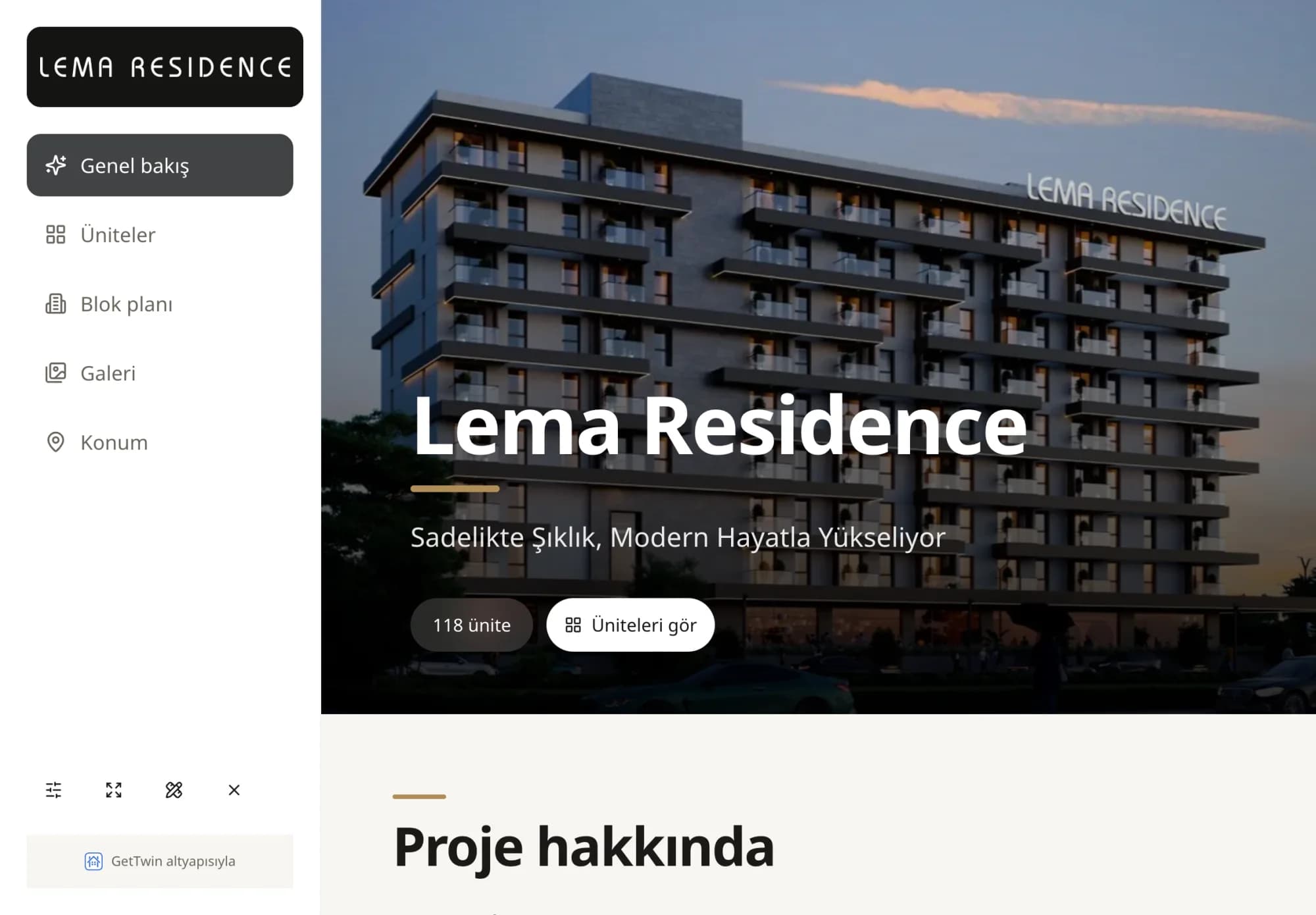
A sales office that looks like your project
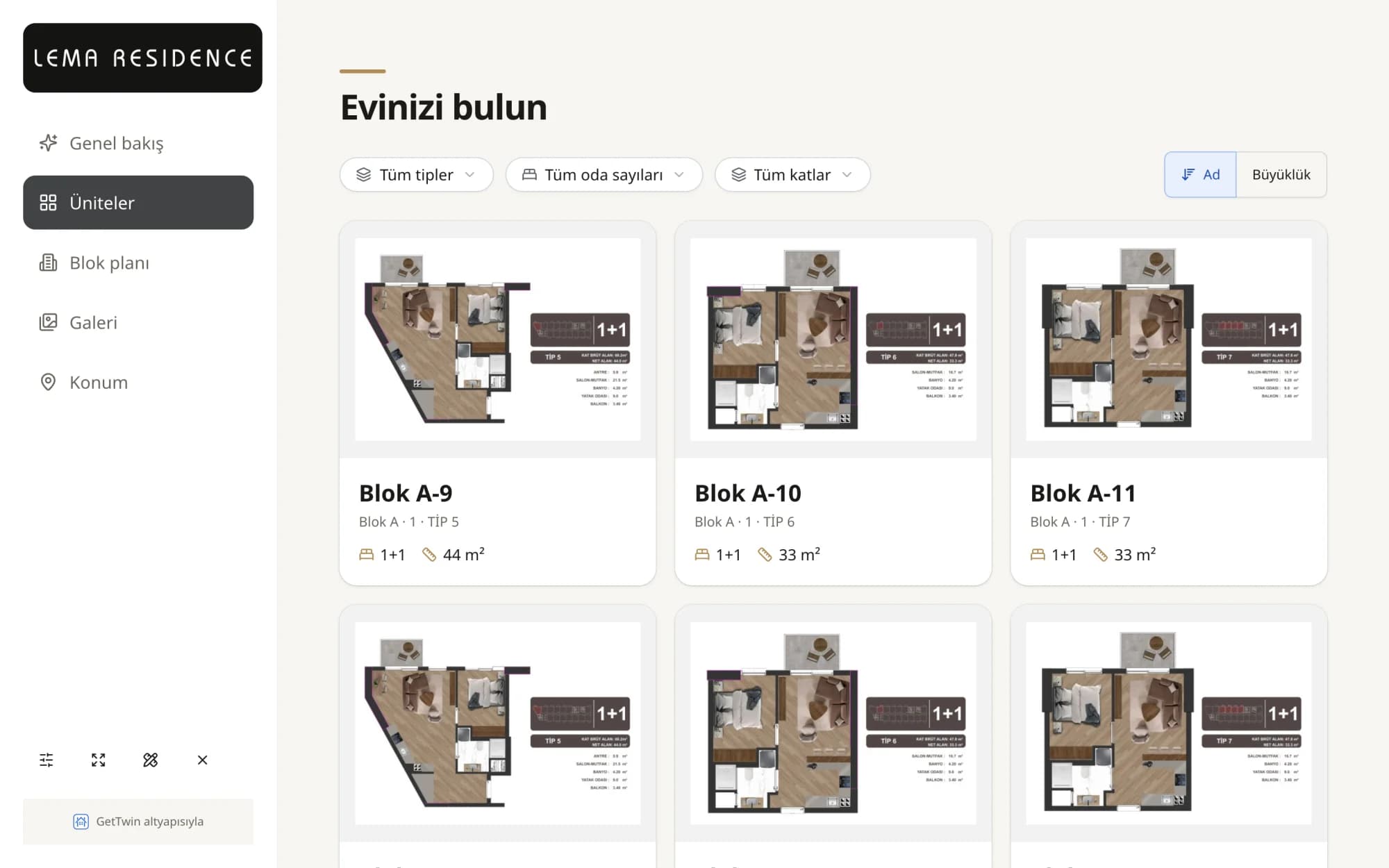
Your logo, images, and story on a tablet. Buyers filter by type, rooms, and floor, and open the floor plan of every home.
- Available
- Sold
- Available
- Sold
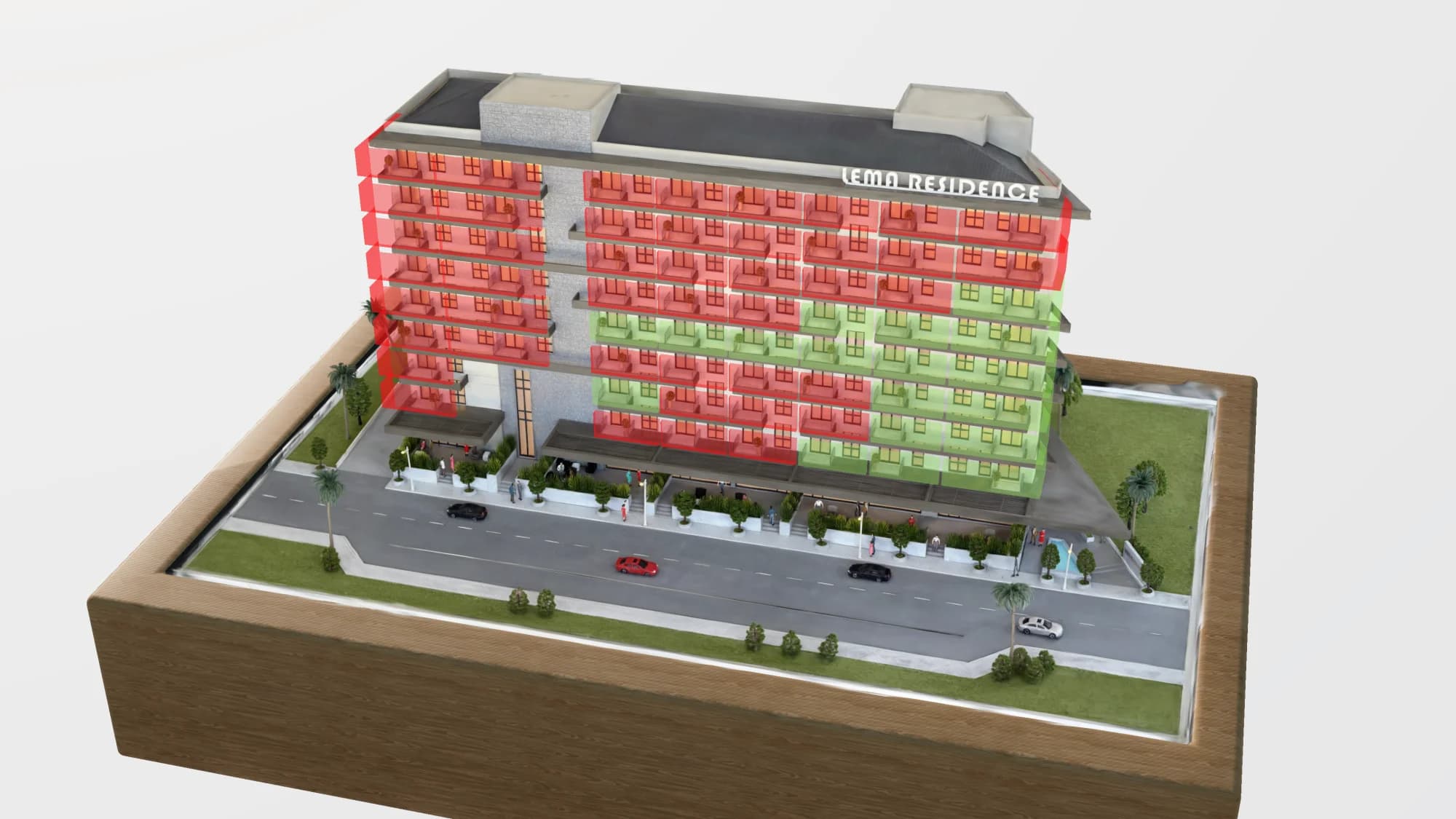
The building in 3D
Add a 3D digital twin made from your scale model or model files. Buyers turn the building and see which homes are still available.
Make a page for Anna with A-503 and B-402, in German
 GetTwin
Ready: Anna’s page in German, with both homes, their floor plans, and live availability. Shall I send it?
A page for every buyer, in their language
Ask GetTwin for a page with the homes a buyer liked, their floor plans, and the offer. It opens in the buyer’s language, with live availability.
What Anna K. opened
- Her buyer page
- Twice · today
- A-503 floor plan
- 3 times · today
- A-503 offer
- Once · yesterday
- Brochure
- Once · Monday
See what each buyer opens
Every page, floor plan, and offer goes out as a tracked link. Your team sees who opened what, and when, and calls at the right moment.
Buyer pages written by GetTwin are on Pro and Max. The 3D digital twin is included on Max and an add-on on Plus and Pro. See pricing
How it works
From the visit to the follow-up, in three steps
Show the project
In the sales office, your salesperson walks the buyer through the project on the tablet and opens the homes they like.
Send the buyer’s page
After the visit, the buyer gets a page with those homes, their floor plans, and the offer, in their language.
See what they open
Tracked links show who opened which page and when, so your team follows up with buyers who are still looking.
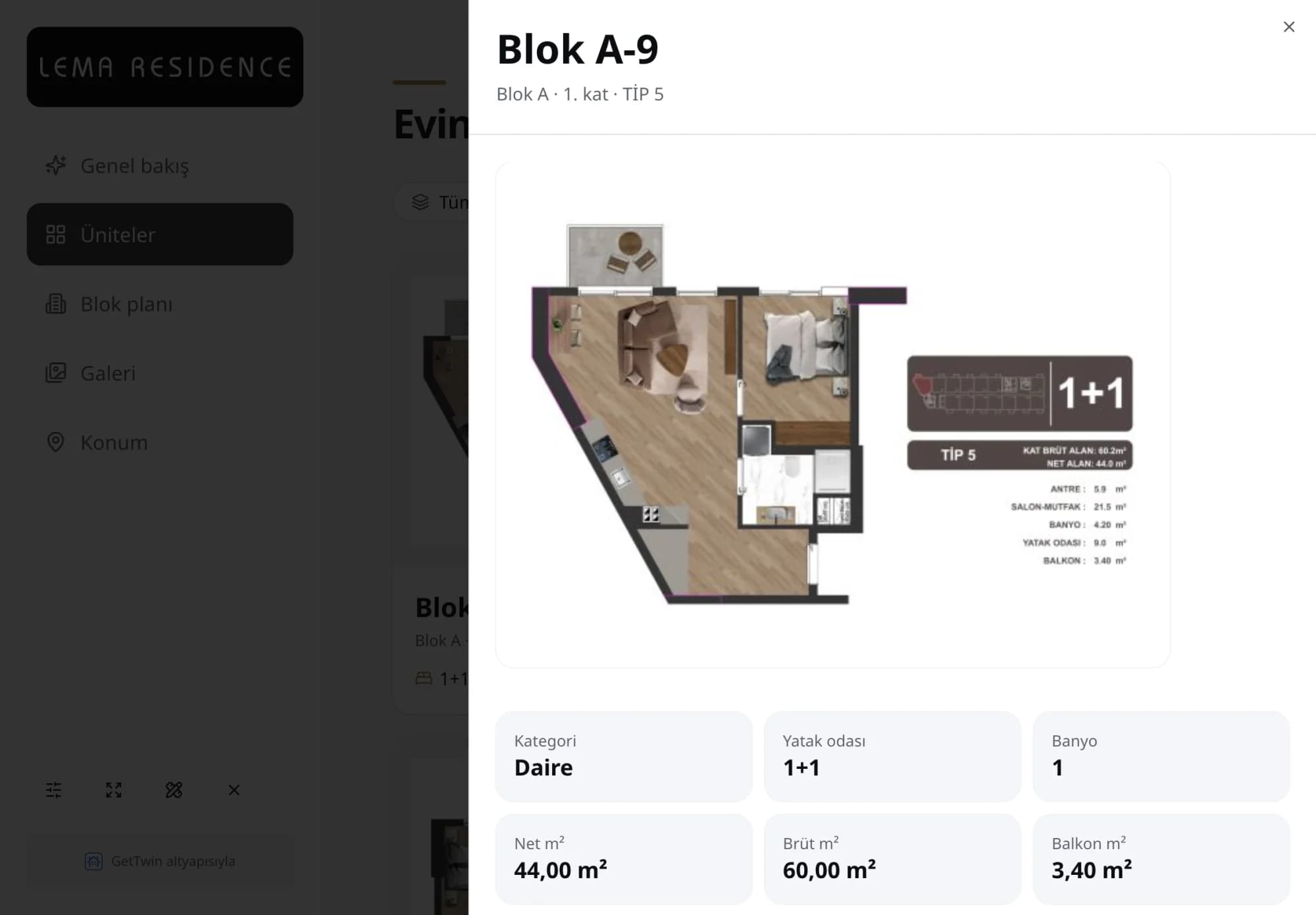
Lema Residence, İzmir, in its sales-office presentation (in Turkish).
What changes for your team
Buyers go home with your project
Your brand on every screen
The tablet, the buyer’s page, and the offer look like your project, not like a template.
Every buyer in their language
Buyers abroad read their page and their offer in their own language and currency.
Follow-up that lands
Your team knows who opened what, so they call the buyers who are still deciding.
Works with
From the first look to the offer
Offers and payment plans
AI lead pipeline
Stacking plan and live stock
Win the mandate, present it on day one
Selling a developer’s new project on an exclusive mandate? Your agents show the developer’s own presentation and send buyer pages in the developer’s brand.
- The developer’s presentation on your agents’ tablets
- Buyer pages in the developer’s brand and the buyer’s language
- Every lead and deal credited to your agency
Agencies and brokers sell on Pro and Max. See pricing
Questions about the presentation
Does the presentation show our brand or GetTwin’s?
Yours: your logo, your project’s images, and your story. GetTwin appears only as a small “Powered by GetTwin”, removable on Max or as an add-on.
Can buyers see prices and availability?
Only when you choose. You decide whether the presentation shows prices and availability. Buyer pages show live availability, so a sold home never shows as free.
Do buyer pages work in other languages?
Yes. Each page opens in the buyer’s language, and offers follow the buyer’s language and currency. Buyer pages written by GetTwin are on Pro and Max.
Do we need a 3D model?
No. The presentation works with your images, floor plans, and units. The 3D digital twin is set up by GetTwin from your scale model or your model files. It is included on Max and an add-on on Plus and Pro.
See your project on a tablet
Book a demo and we’ll show you the sales-office presentation and a buyer page on a project like yours.
- We set it up with you
- We bring your existing data over
- Your team just sells