
Payment plans that add up, no spreadsheet
Build every offer from your own payment plans, with each installment calculated and each discount within your limits.
The problem
“Can you resend the offer? The numbers were wrong”
Offers built in spreadsheets
Every salesperson keeps their own copy of the payment plan, and every offer is typed again by hand.
Numbers that don’t add up
One wrong cell and the installments no longer match the price. The buyer notices before you do.
Discounts by phone, approvals by email
Discounts are agreed in a call and approved days later. Nobody can see who gave what, or why.
What GetTwin does
One offer, every number right
Your payment plans, your price list, and your discount rules, built into every offer your team sends.
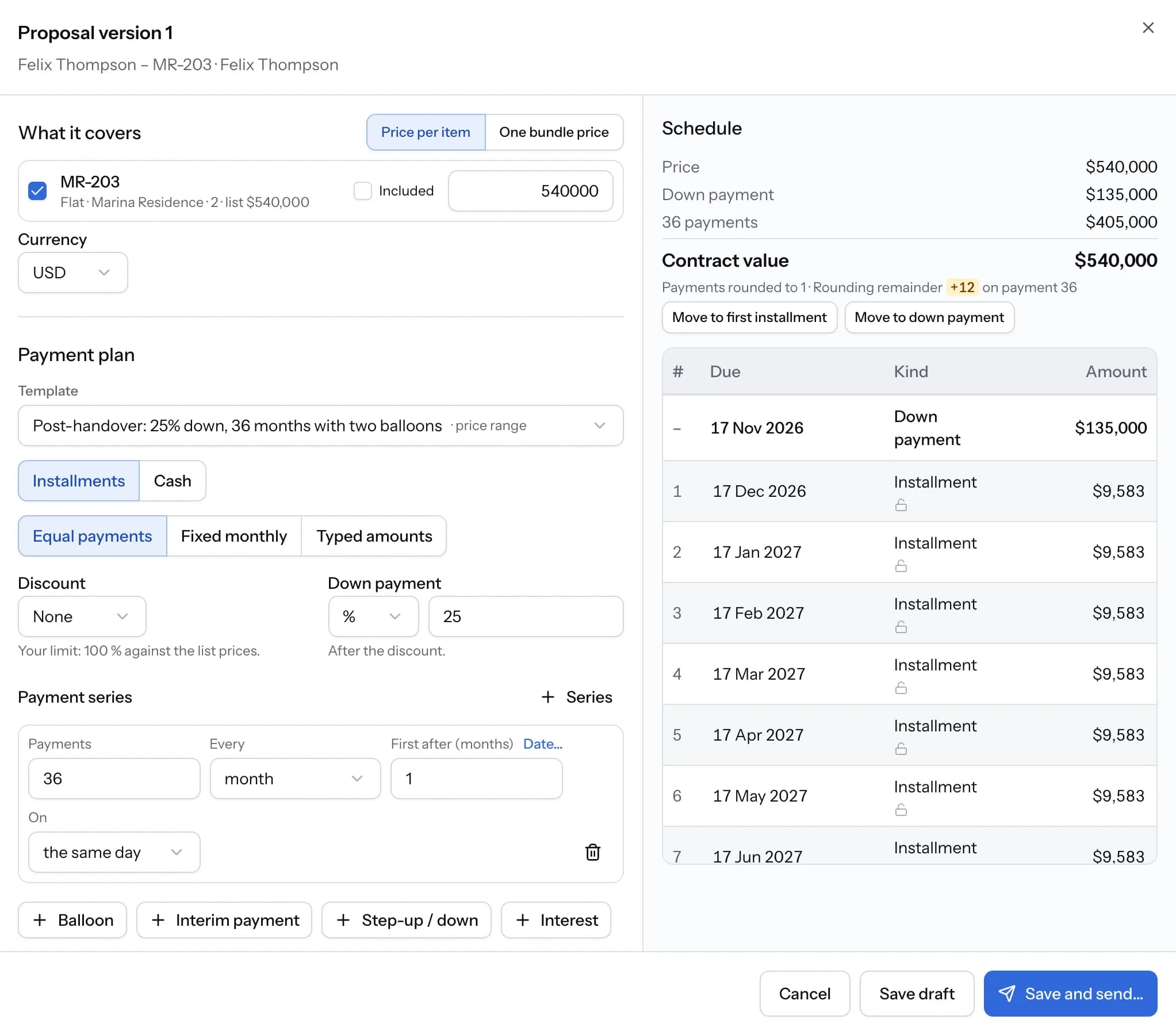
Start from your own payment plans
Set up your plans once: down payment, installments, balloon payments, and interim payments. Your team picks one and adjusts it for the buyer.
Every installment calculated
The schedule fills in as you build the offer, in the buyer’s currency, and always adds up to the price.
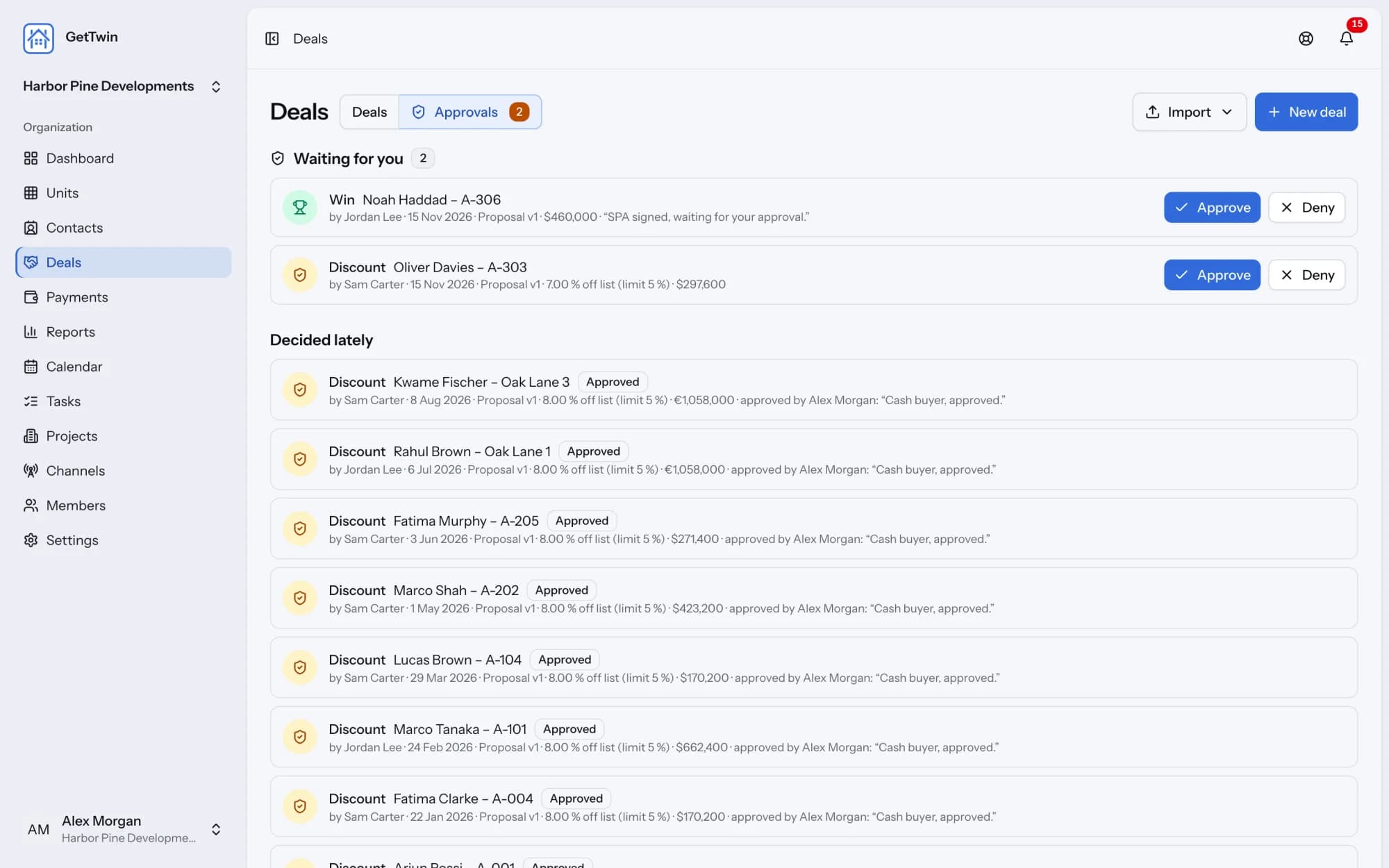
 GetTwin needs your approval
7% discount on A-303 for Oliver D. (your limit is 5%)
Every discount within your limits
Set a discount limit for each person. Anything above it waits for the right person, who approves in one tap, even in the mobile app.
- HHARBOR & PINEPDF
Sales contract
Lakeside Residences · A-503
- Buyer
- Maya Collins
- Unit
- A-503 · 92 m²
Payment plan
- Down payment$138,000
- Installments 1–24$11,500 each
- Balloon at handover$138,000
BuyerDeveloperFrom the offer to the contract
Branded offers and contracts are generated as PDFs from the deal, with the buyer, the unit, and the payment plan filled in.
Discount approvals and branded PDF contracts are on Pro and Max. See pricing
How it works
From the unit to the offer, in three steps
Pick the unit
The buyer likes an apartment in the sales office. Your salesperson opens it on the tablet.
Choose the payment plan
Start from one of your templates, set the down payment and any discount, and the schedule follows.
Send the offer
The buyer gets the offer with the full payment plan. Discounts above the limit wait for approval first.
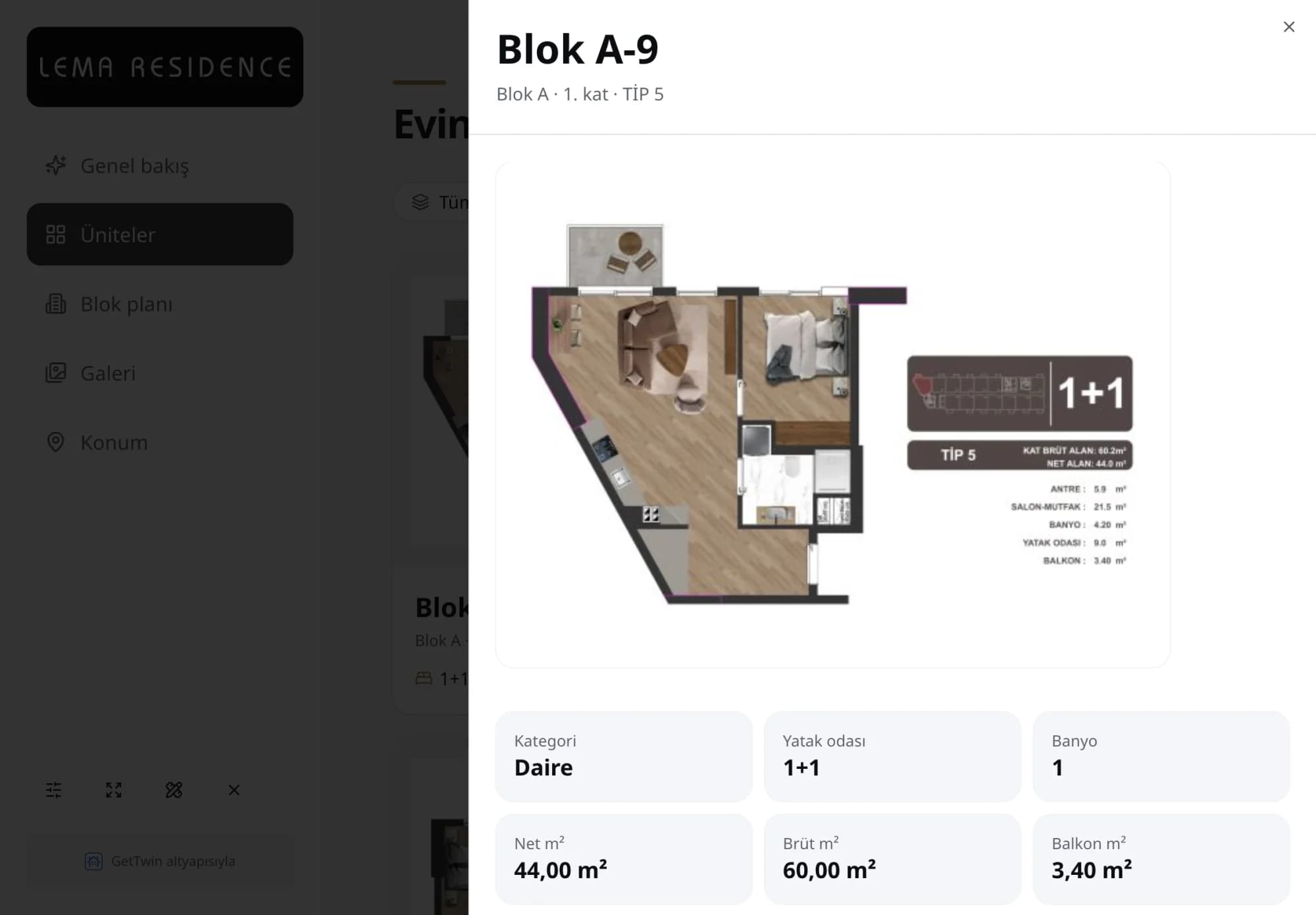
Lema Residence, İzmir, in its sales-office presentation (in Turkish).
What changes for your team
The same price from every salesperson
One version of every plan
Everyone works from the same templates and price list, so two salespeople never quote the same unit differently.
The offer while the buyer is there
The offer is ready while the buyer is still in the sales office, not after a weekend of spreadsheets.
Every discount on the record
Who gave what, to whom, and who approved it, kept on the deal for finance and management.
Works with
The rest of the sale, on the same deal
Collections and reports
AI lead pipeline
Presentation and buyer pages
Win the mandate, quote on day one
Selling a developer’s new project on an exclusive mandate? Your team builds offers from the developer’s own payment plans and price list, within the limits the developer sets.
- The developer’s payment plans and price list, from day one
- Discount limits for every agent
- Every deal credited to your agency
Agencies and brokers sell on Pro and Max. See pricing
Questions about payment plans
Can we use our own payment plans?
Yes. You set up your plans once as templates: down payment, installments, balloon payments, interim payments, and step-ups. Your team picks one for each offer and adjusts it within the limits you set.
Can an offer be in another currency?
Yes. Offers can be built in several currencies, for example dollars for one buyer and euros for another. Every version of an offer is kept on the deal.
Who approves discounts?
You set a discount limit for each person. Offers inside it go out at once, and anything above it waits for the person you choose, with the reason attached. Discount approvals are on Pro and Max.
What happens to the payment plan after the sale?
The plan becomes the buyer’s installment schedule on the deal. On Pro and Max, GetTwin tracks every installment, and contracts are generated as PDFs with the plan already inside.
See an offer built on your project
Book a demo and we’ll build an offer with one of your own payment plans, on a project like yours.
- We set it up with you
- We bring your existing data over
- Your team just sells